
RAF Film Lab › Features
Everything in the app
Updated
The films are where a photo starts. This is the rest of the app: the editor, the library, recipes, in-camera develop, AI agents and iCloud sync.
The editor
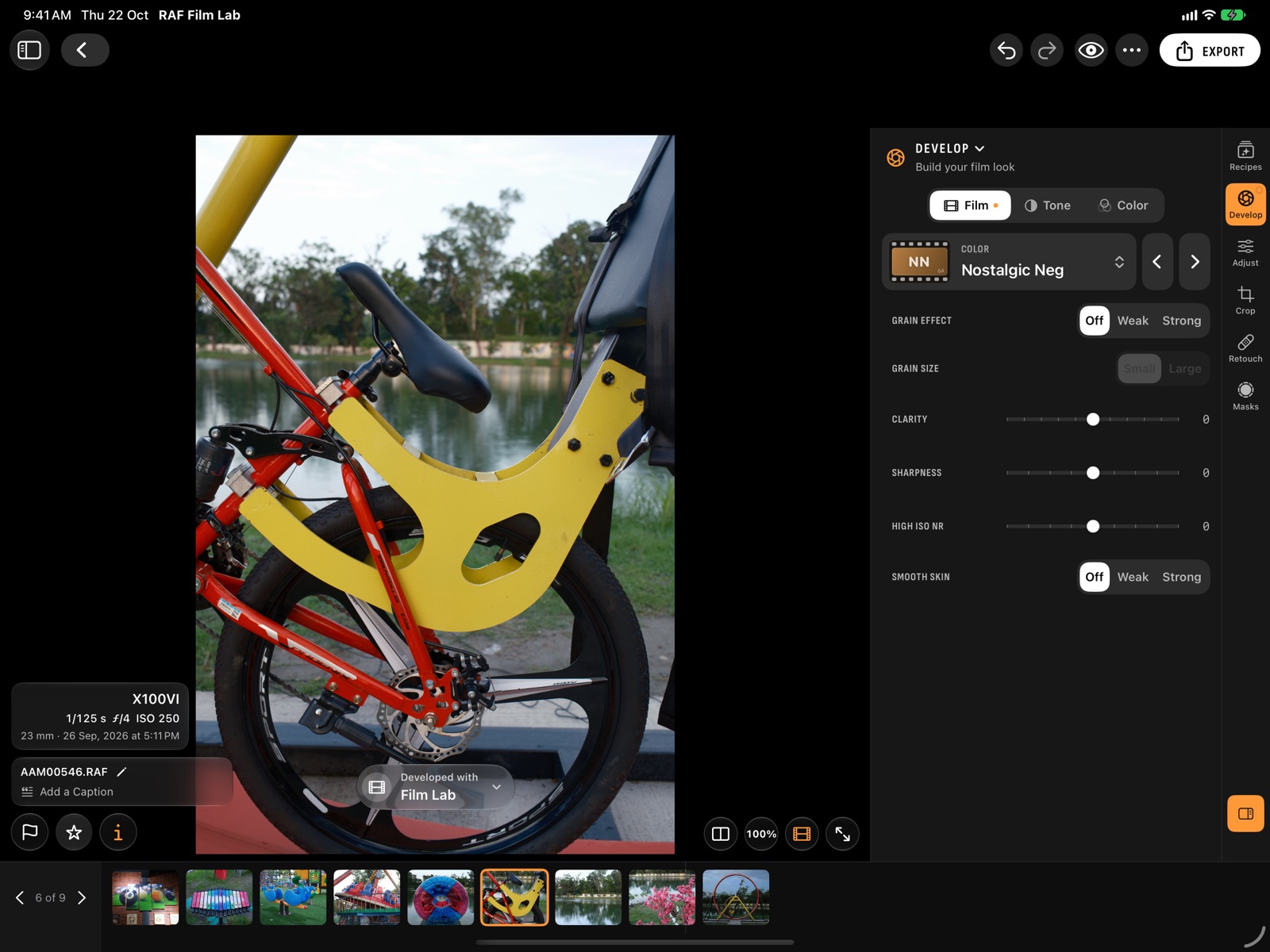
A photo is developed once, with the film and the in-camera settings, and every edit is drawn on top. Six workspaces hold it all: Recipes, Develop, Adjust, Crop, Retouch and Masks.
Develop, the way the camera does
- Film, Tone and Color set what the camera's own menu sets: Dynamic Range, push and pull up to three stops, highlight and shadow tone, Color Chrome, grain, clarity and white balance with its shift.
- The develop status at the photo's foot says who developed it, your camera or Film Lab. Film Lab develops each change on its own.
- Every photo opens in the film it was shot in, and Dynamic Range shows what the RAF was shot at.
Adjust, crop and mask
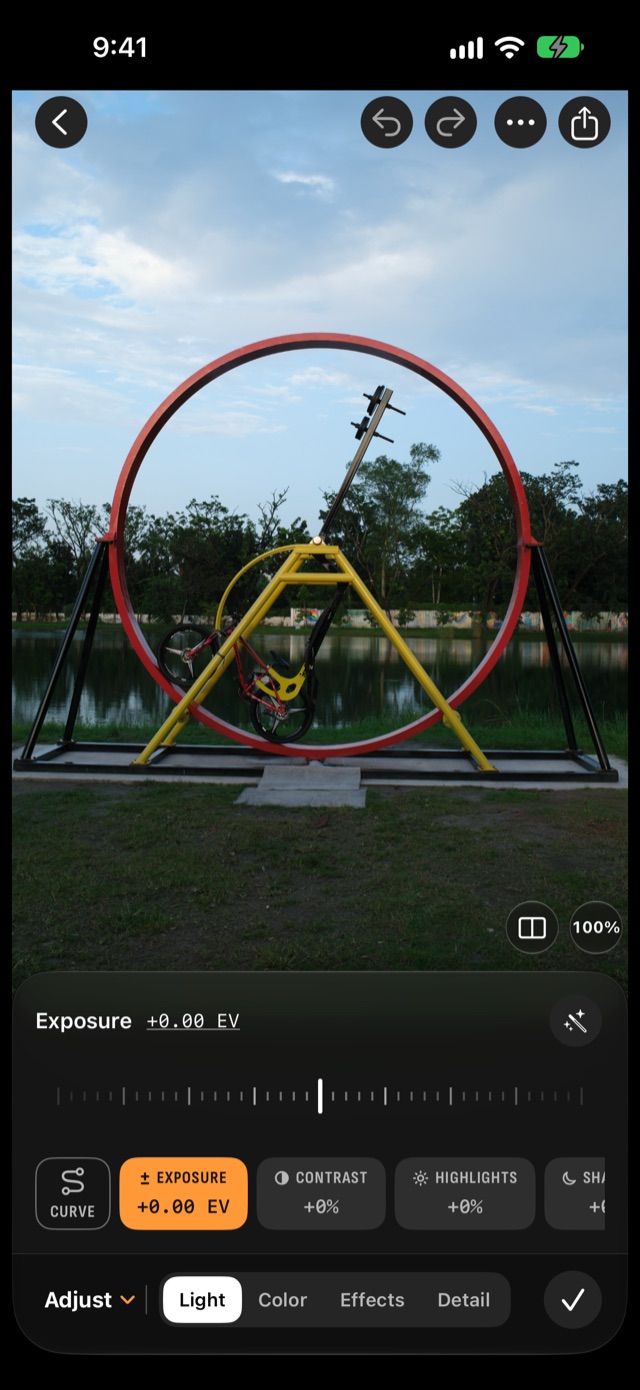
- Light, Color, Effects and Detail: exposure to shadows with Auto and a tone curve, white balance, an eight-band mixer and colour grading, clarity, dehaze, fade and vignette, sharpening and noise reduction.
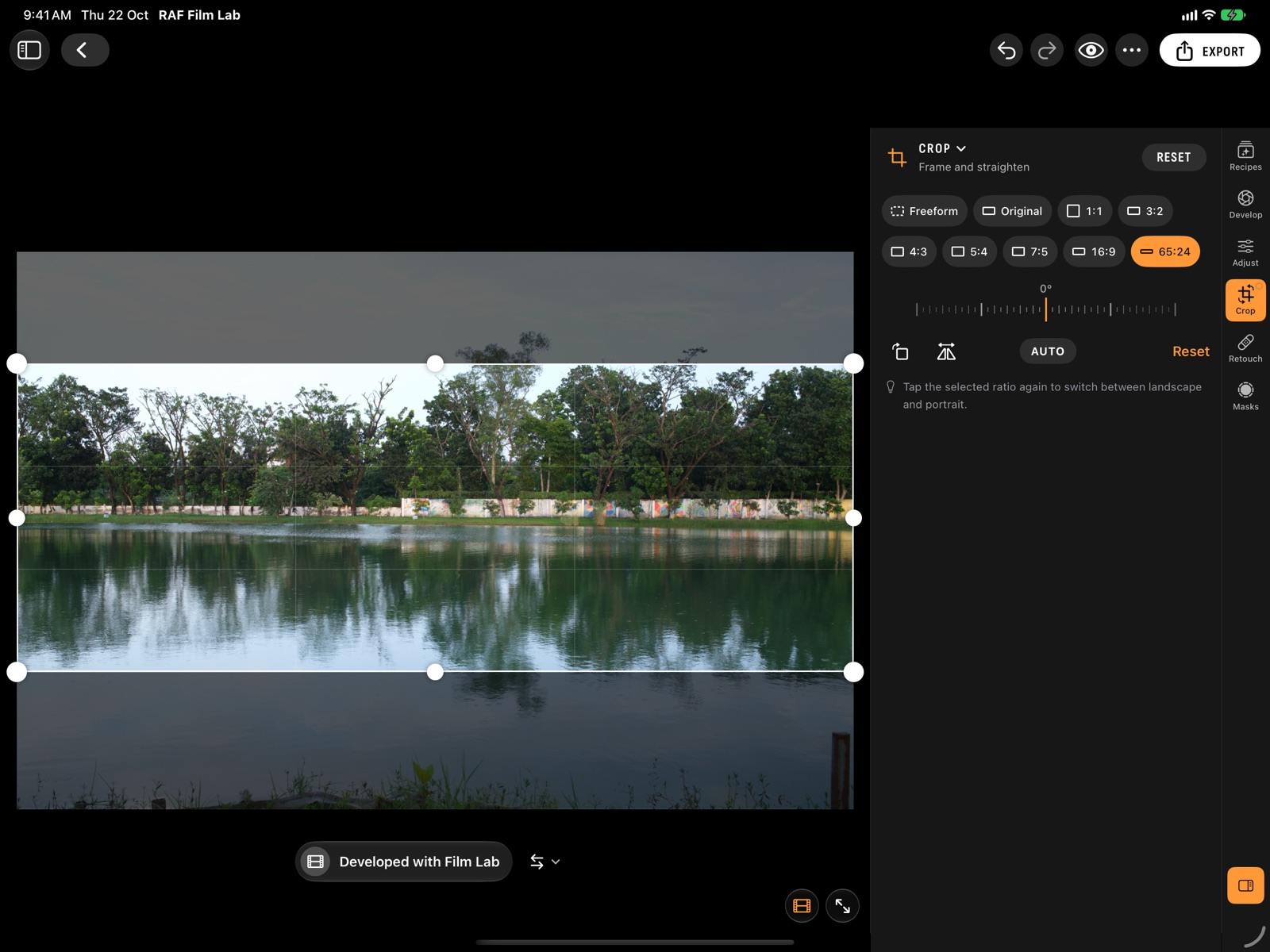
- Crop to 1:1, 3:2, 4:3, 5:4, 7:5, 16:9 or XPan's 65:24, rotate, flip and straighten automatically.
- Masks for the subject, sky, people, faces, background and objects, or with a brush, gradients, colour and luminance. Retouch heals and clones on its own tab.
A library that keeps up
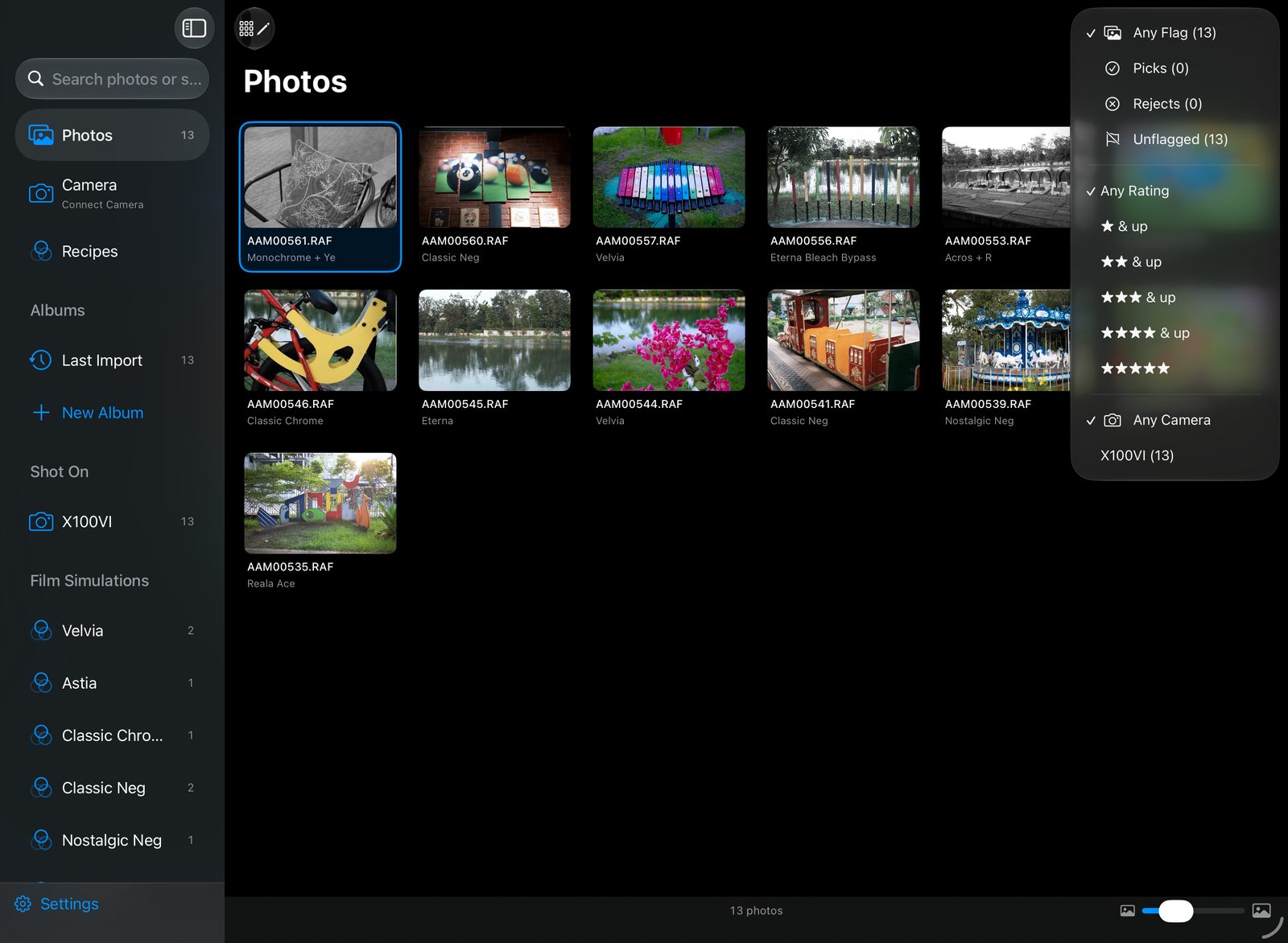
- Import RAFs from Files, Photos, a card reader or straight off the camera. On the Mac, originals stay where they are.
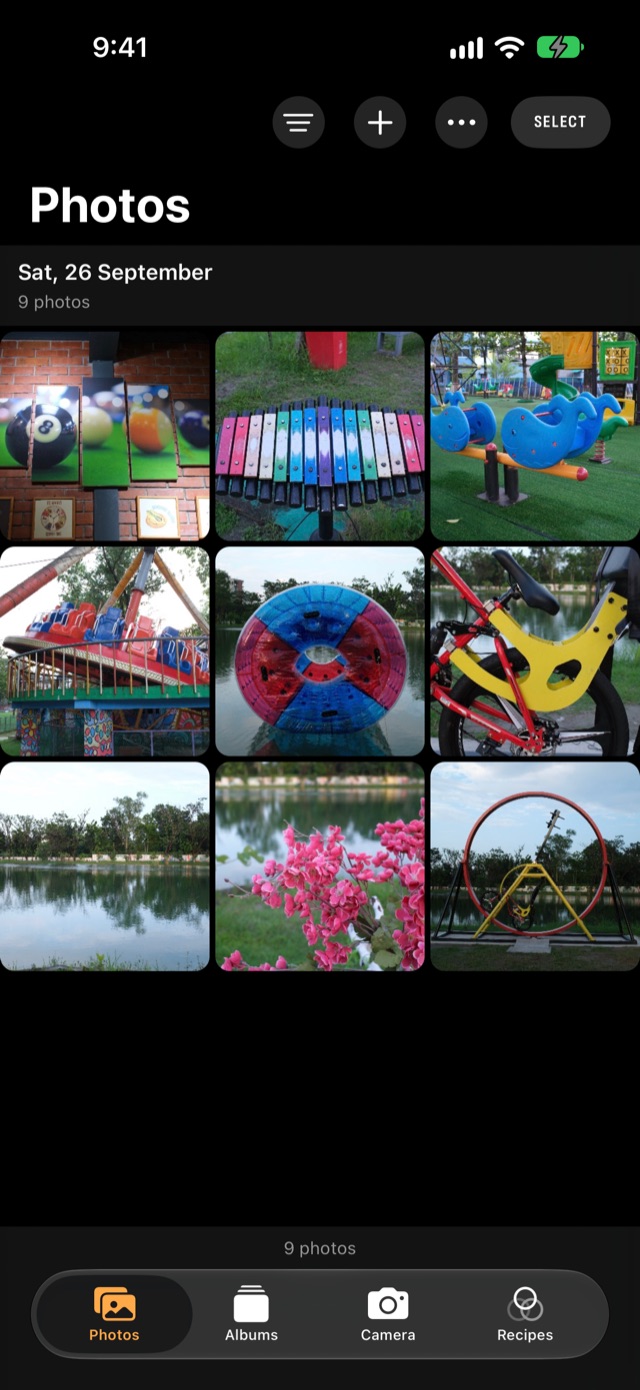
- Filter by flag, rating and camera, browse by film simulation and album, and size the grid to taste.
- Cull fast: pick, reject and rate from the photo's foot, or with a swipe up on iPhone, or swipe through Fast Cull.
- Copy and paste edits, undo anything, and export HEIC, JPEG or 16-bit TIFF, a reel or a collage.
Your looks, saved and shared.
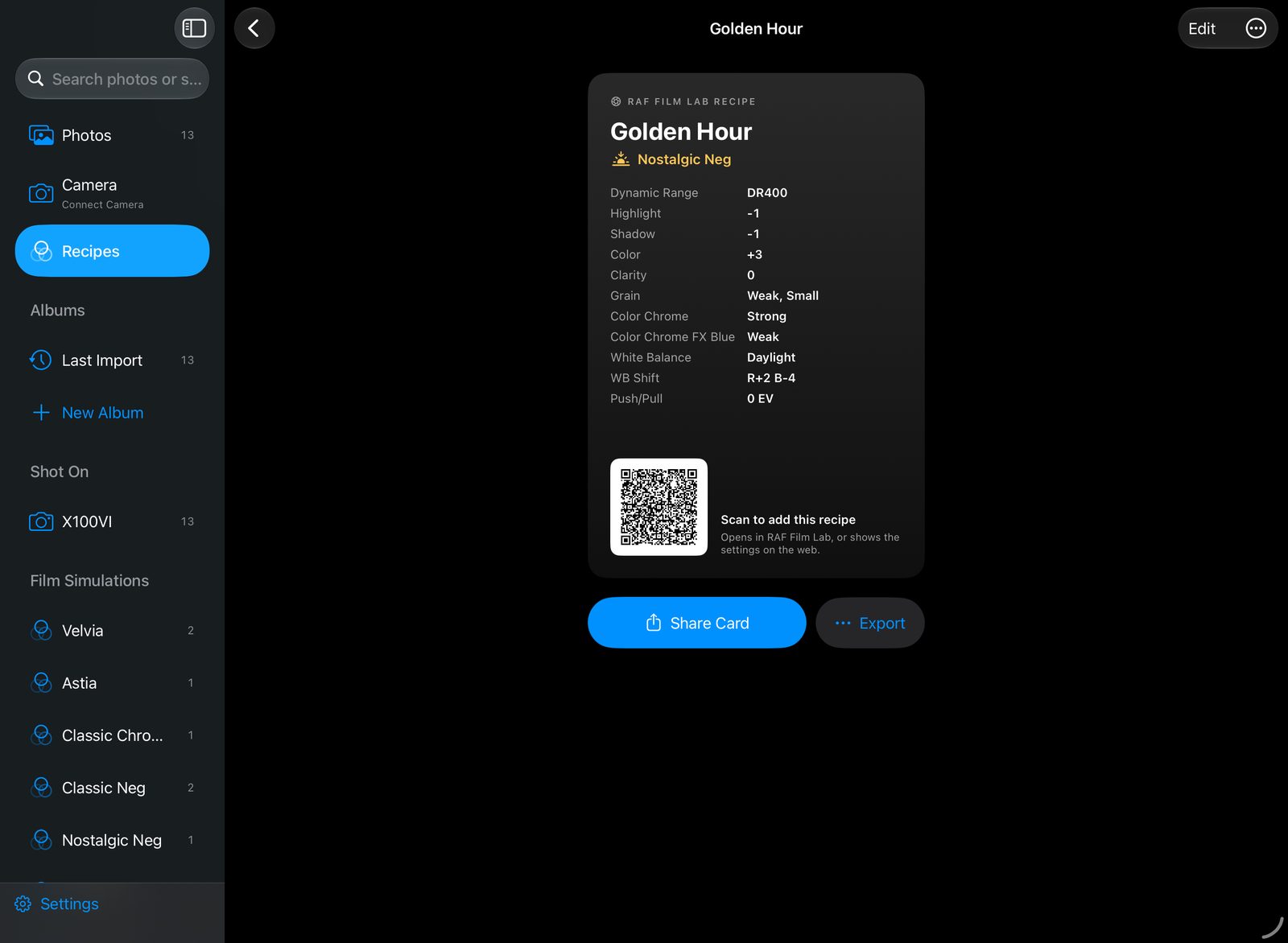
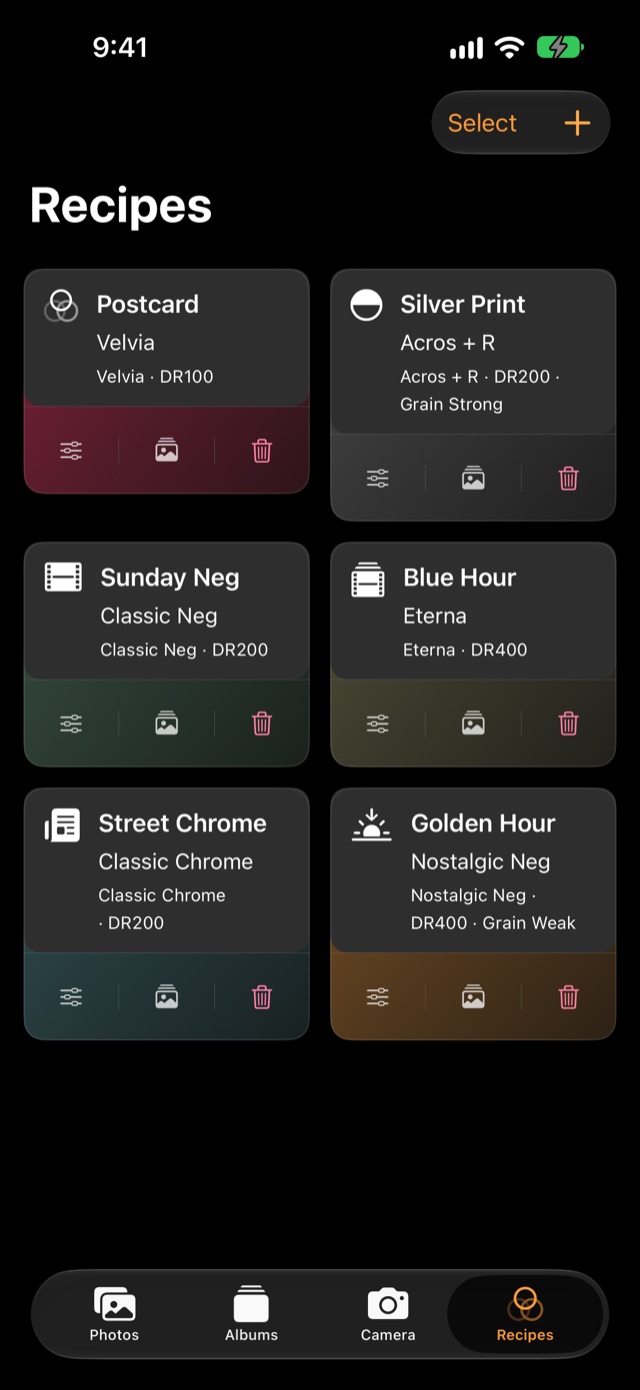
A recipe is a photo's Develop settings under a name. Keep yours in Recipes, apply one to any photo, and pass it on as a card anyone can scan.
- Write a recipe by hand, or save one from the photo you're editing.
- Share a card with the settings and a QR code. The link opens in RAF Film Lab, or shows the recipe on the web to anyone without it.
- Bring recipes in from a QR code, a link, a .recipe file, an X RAW Studio profile, or a screenshot or photo of one written out. The text is read on your device.
- Import from your camera: read the recipes already in its C1–C7 custom settings over USB, and add any of them to Recipes.
- Save to your camera: write a recipe into C1–C7 over USB, checked after it's written, with the old slot backed up first.
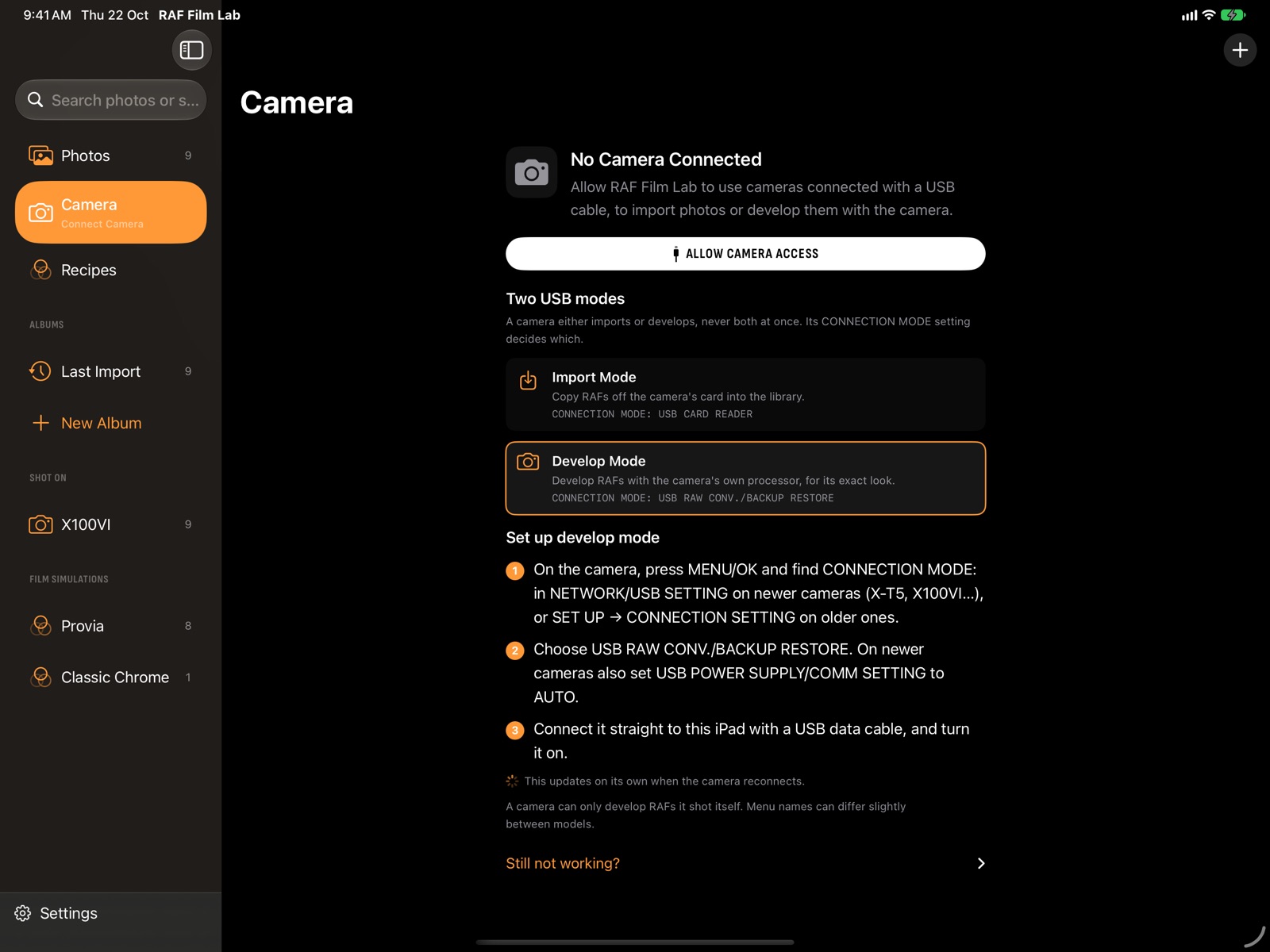
Let the camera develop it.
Your Fujifilm already knows its films. Connect it over USB and RAF Film Lab sends each RAF back to the camera's own processor, with your recipe, for exactly the camera's look.
- Set CONNECTION MODE once: USB RAW CONV./BACKUP RESTORE to develop, USB CARD READER to import. The Camera page says which mode the camera is in and walks you through its menu.
- Switch who develops any photo from the status at its foot: the camera, or Film Lab on this device.
- A film your camera doesn't have? The status says so and offers Film Lab instead.
- Camera develops sync through iCloud, so the Mac's develop shows on the iPhone.
Hand the busywork to an agent.
Connect Claude, or any app that speaks MCP, to RAF Film Lab on the Mac and ask in plain words. It finds the photos, looks at them, and changes looks, recipes and edits through the app itself, while you watch.
- search_photos 4★ and up · last import → 12 photos
- set_look 12 photos → chrome
- adjust temperature +300 K, each photo's own
- render_preview DSCF4127
Done: all 12 are in Chrome now, a little warmer. DSCF4127 is the strongest. Say “undo” to put them back.

- It sees what it edits. The app renders previews for the agent, so it judges the photo, not just the numbers.
- Batch work in a sentence. Apply a recipe pasted from a forum post, match thirty frames to one, cull an import, export the picks at 2048 px.
- Every change is live and undoable. It shows in the editor as it happens, syncs like your own, and comes back with Undo or ⌘Z.
- You set the limits. View only, edit, or edit and export into one folder you choose. Off until you turn it on.
- Private by design. The server is on your Mac, not the network. Agents never get your RAFs.
- Shortcuts too. Find, set a look, apply a recipe, rate and export from the Shortcuts app on iPhone, iPad and Mac.
Mac, iPad and iPhone
One app, the same films and the same workspaces on every screen. On iPhone, Photos, Albums, Camera and Recipes sit in a tab bar, and the editor's workspaces in a dock under the photo, with a ruler for each setting.
Your library, on every device. In your iCloud.
Turn on sync and each photo goes to your own iCloud as the full RAF, together with its edits, rating and flag. Your other devices download it and pick up where you left off. There's no RAF Film Lab server and no account.
- Full RAW files, not previews, so every device edits the original
- Edits follow the photo: change it on the iPad, see it on the Mac
- Delete a photo once and it's gone everywhere
- Off by default, and it only ever uses your iCloud storage