
Share a recipe as a card, a link or a file
Pass a look on the way you'd share a photo: a card with the settings and a QR code, a link that works with or without the app, or a file for X RAW STUDIO.
Updated
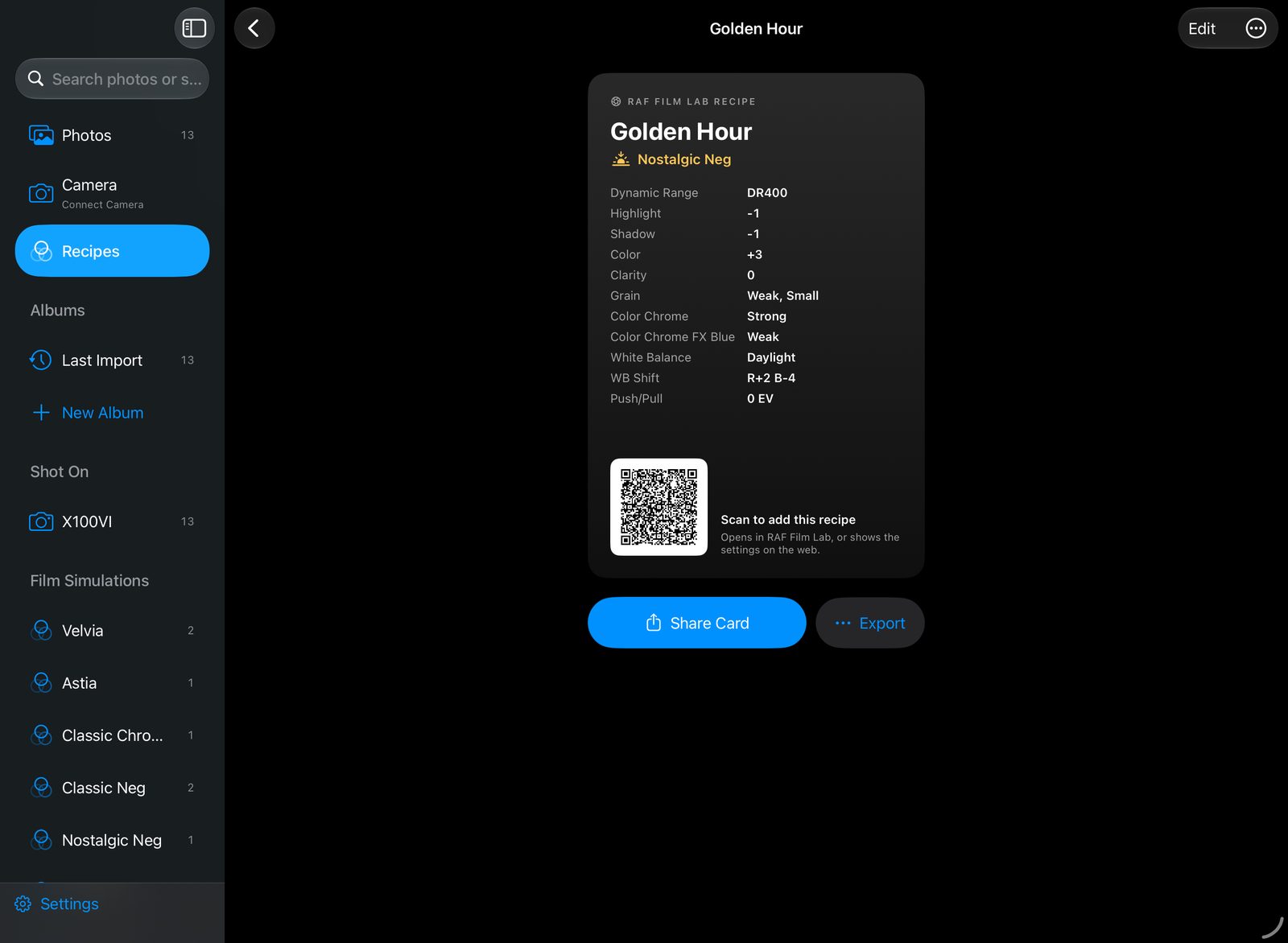
How do I share a Fujifilm recipe?
Open a recipe and tap Share Card for an image with its film, its settings and a QR code. Post it, message it, or print it. Tap the card, or choose Show QR Code, to show the code full screen for someone to scan.
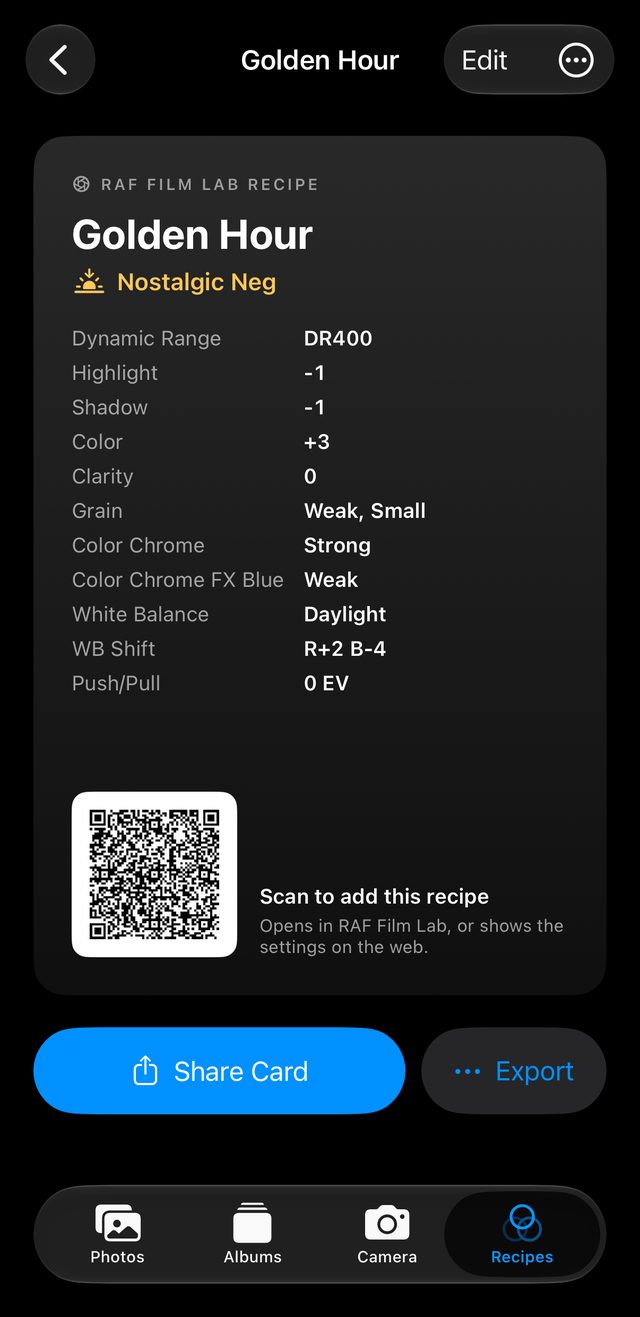
Can people without the app see a shared recipe?
A recipe link holds the recipe itself, so nothing is uploaded and there's no account. With RAF Film Lab installed it opens in the app, ready to add; without it, the link shows the settings in any browser, so anyone can dial them in on their camera.
Every format
- Share Card: an image with the settings and a QR code.
- Copy Link and Share Link.
- The .recipe file, for another RAF Film Lab user.
- An X RAW STUDIO profile, for Fujifilm's own RAW converter.
And back again
Anything you share can be added back: a scanned code, an opened link, a file, or a screenshot of the card.
Questions
Do people need the app to see a shared recipe?
No. Without RAF Film Lab, a recipe link shows the settings in the browser.
Is my recipe uploaded anywhere?
No. The link carries the recipe itself.
Can I share a recipe with X RAW STUDIO users?
Yes. Export saves an X RAW STUDIO profile.
More of RAF Film Lab

Try it on your own RAFs.
RAF Film Lab is in beta on TestFlight for Mac, iPad and iPhone. Leave your email and Apple will send you an invite.