
Add a recipe from wherever you found it
Recipes turn up in forum posts, screenshots, QR codes and on other people's cameras. RAF Film Lab reads them all, on your device, and shows each one for you to check before it's added.
Updated
How do I add a Fujifilm recipe to RAF Film Lab?
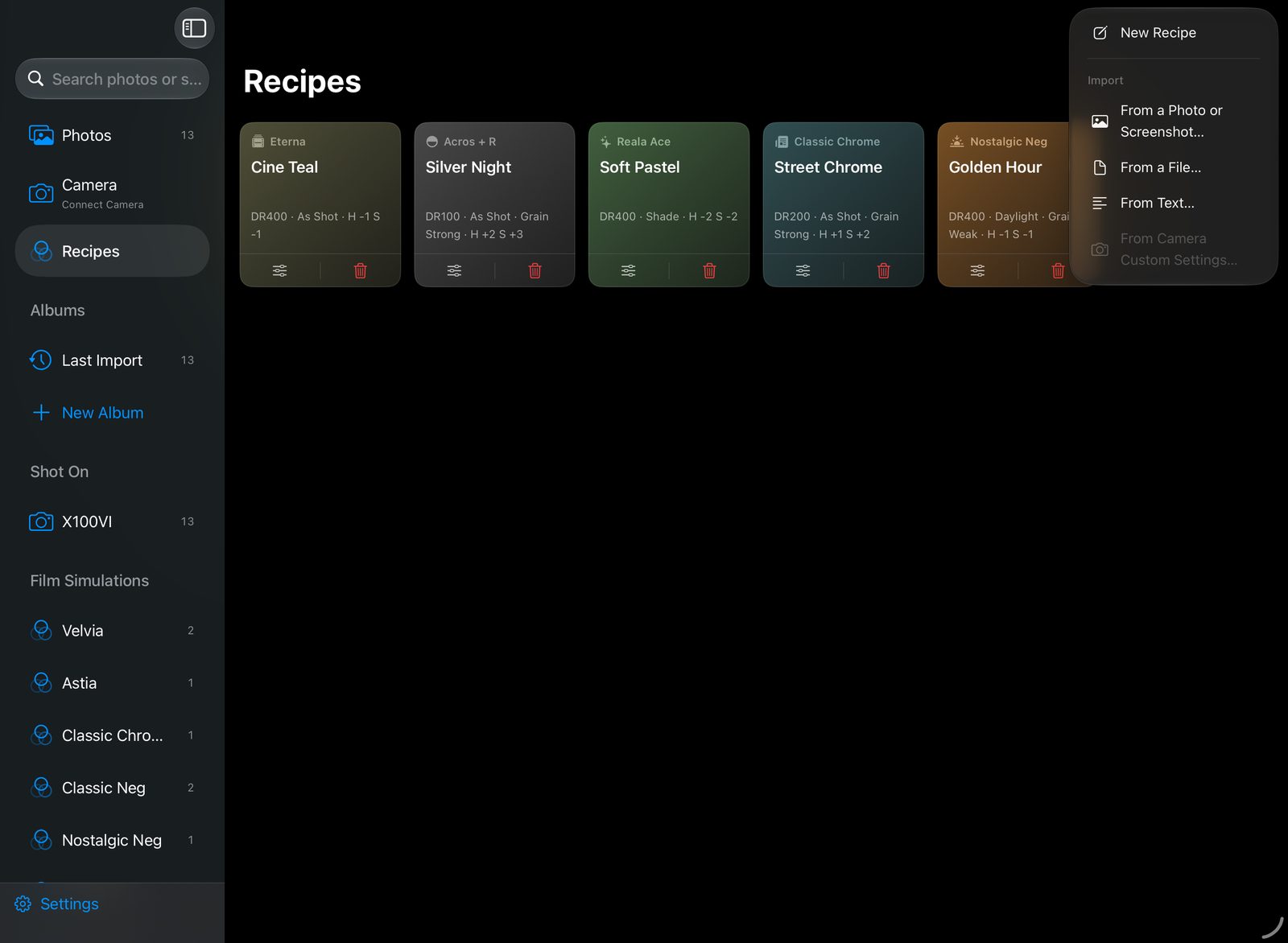
Tap + in Recipes and choose where it comes from: a QR code or link, a file, a screenshot, pasted text, your camera, or a blank recipe.
- A QR code or link: scan a recipe card's code, or open a recipe link, and it opens in the app.
- A file: a .recipe file, or an X RAW STUDIO .FP1, .FP2 or .FP3 profile.
- From a Photo or Screenshot: a recipe written out in a post, a note or on a camera's screen. The text is read on your device.
- From Text: paste a recipe copied from a website or a message.
- From Camera Custom Settings…: read the recipes already saved in a connected camera's C1–C7 slots.
- New Recipe: write one by hand.
How do I import a recipe from a screenshot?
Choose From a Photo or Screenshot and pick the image. The settings are read on your device.
- Take a screenshot of the recipe, or a photo of it written out.
- In Recipes, tap + and choose From a Photo or Screenshot.
- Pick the image. The settings are read on your device.
- Check the recipe and its name, then add it.
Can I copy recipes off my camera's C1–C7?
Set the camera's CONNECTION MODE to USB RAW CONV./BACKUP RESTORE, connect it, and choose + → From Camera Custom Settings…. RAF Film Lab reads C1–C7 and lets you add any of them to Recipes.
Checked before it's added
Every recipe is shown for you to check before it's added, whatever it came from. Nothing is uploaded: text in images is read on your device, and a recipe link carries the recipe itself.
Questions
Can I import a recipe from a screenshot?
Yes. Choose From a Photo or Screenshot and the settings are read from the image on your device.
Does it open X RAW STUDIO profiles?
Yes: .FP1, .FP2 and .FP3 files.
Can I copy recipes off my camera?
Yes. With the camera in USB RAW CONV./BACKUP RESTORE mode, From Camera Custom Settings… reads its C1–C7 slots.
More of RAF Film Lab

Try it on your own RAFs.
RAF Film Lab is in beta on TestFlight for Mac, iPad and iPhone. Leave your email and Apple will send you an invite.