
A full RAW editor, on top of the film
Every edit in RAF Film Lab is drawn on top of the film develop: light and colour, curves and colour grading, AI masks found on your device, crop, heal and clone. Six workspaces, the same on Mac, iPad and iPhone.
Updated
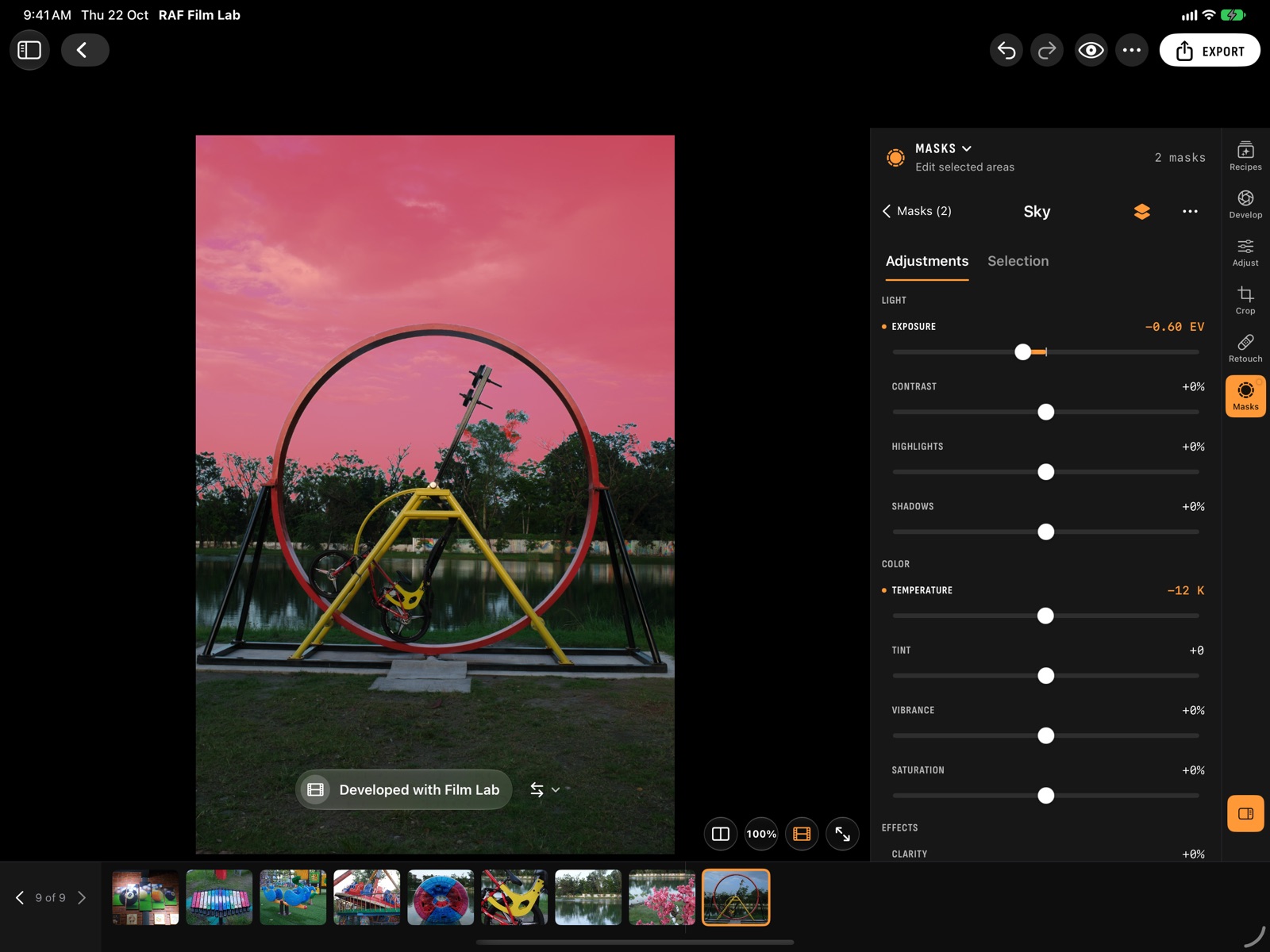
Editor Built-in.
The film is developed once, and everything else is drawn on top. Change the film later and your crop, masks and curves stay where they are.
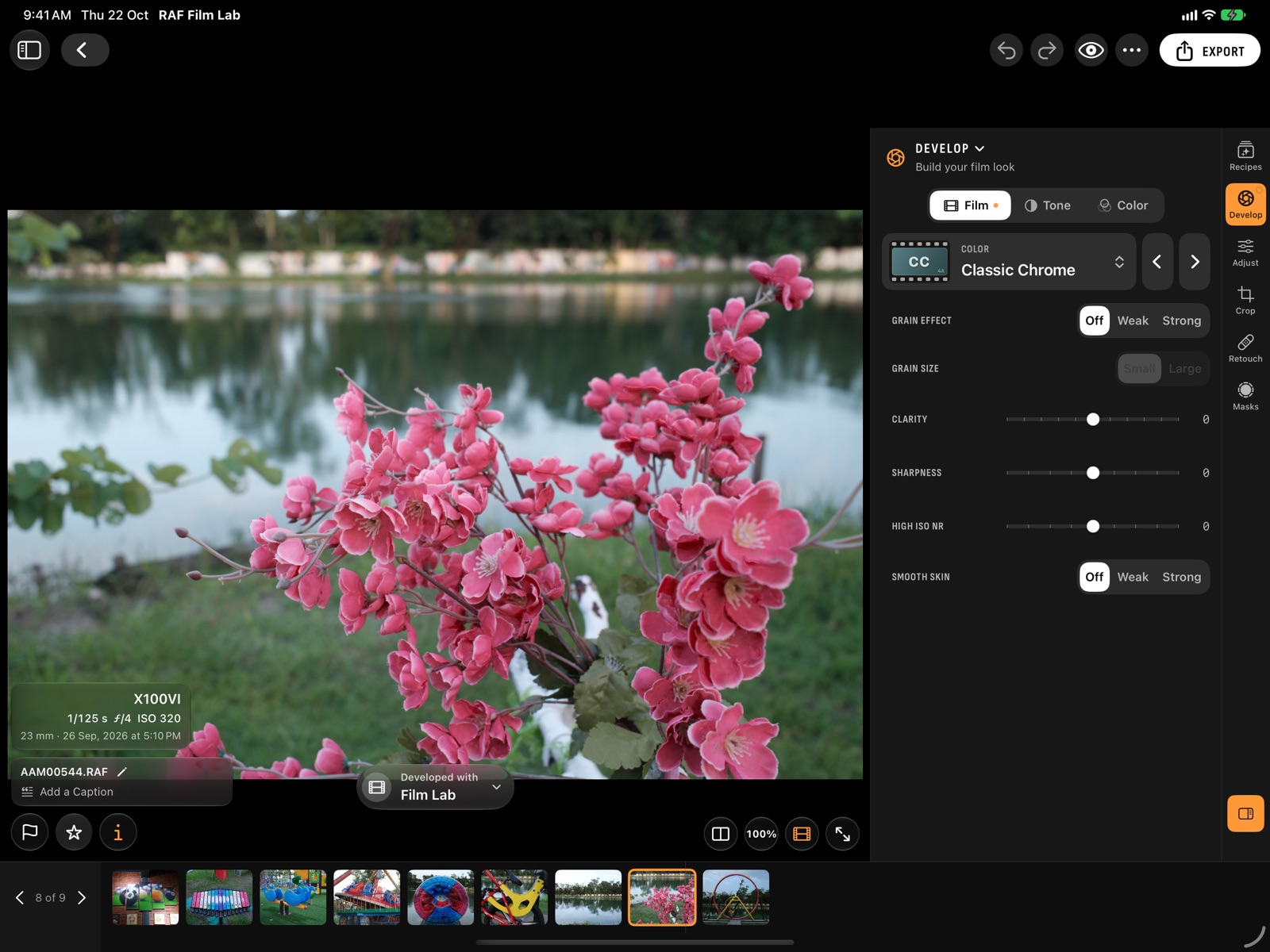
- How it was shot. Camera, lens and exposure from the RAF, at the photo's foot.
- Develop. Film, tone, colour and white balance, set the way the camera's menu sets them, Dynamic Range and push/pull included. Hover over a film to see it before you pick it.
- The develop status. Says who developed the photo, Film Lab or your camera, and switches between them.
- Six workspaces. Recipes and Develop, then Adjust, Crop, Retouch and Masks: AI masks for the subject, sky and people, curves, an eight-band mixer, colour grading, heal and clone, crop to XPan's 65:24.
Which AI masks does the editor have?
Subject, Sky, Background, People, Face and Object, found on your device, plus brushes, gradients and colour or luminance ranges.
A mask chooses where an edit applies. Under New Mask, pick what to select:
- Found for you, on device: Subject, Sky, Background, People, Face and Object.
- Drawn: Brush, Linear and Radial gradients.
- By range: Color and Luminance.
Open a mask to add to or subtract from it, invert it, set its amount, and give it its own Light, Color and Effects. Turn on Overlay, or press O, to see it in red.
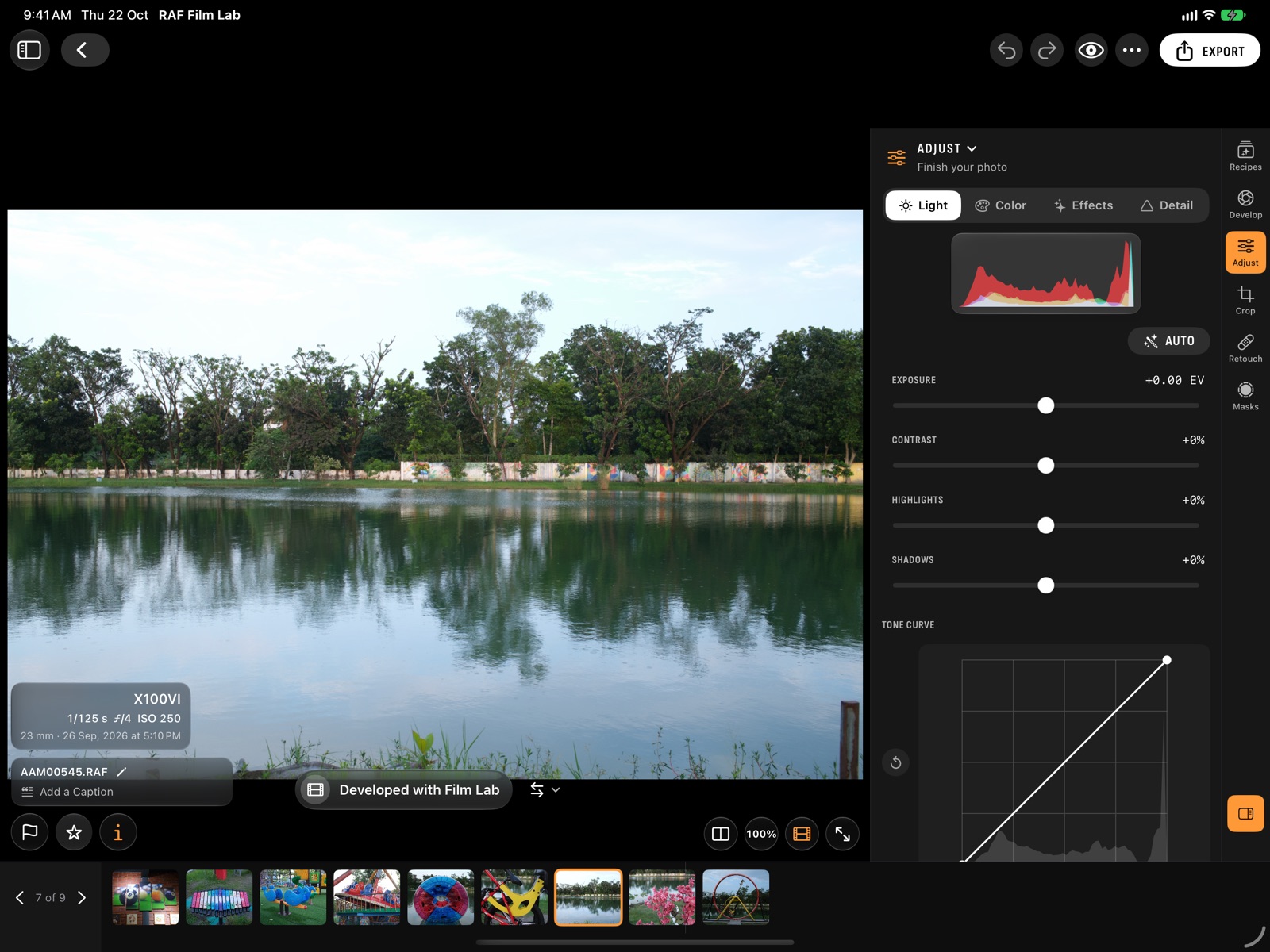
What can I adjust in a Fujifilm RAW?
Light, colour, effects and detail, all drawn on top of the film develop:
- Light: exposure, contrast, highlights and shadows, with Auto and a Curve for the master tone and each of red, green and blue.
- Color: temperature and tint, vibrance and saturation, a Mixer with hue, saturation and luminance for eight bands, and Grade for colour grading.
- Effects: clarity, dehaze, fade and vignette.
- Detail: sharpening, and luminance and colour noise reduction.
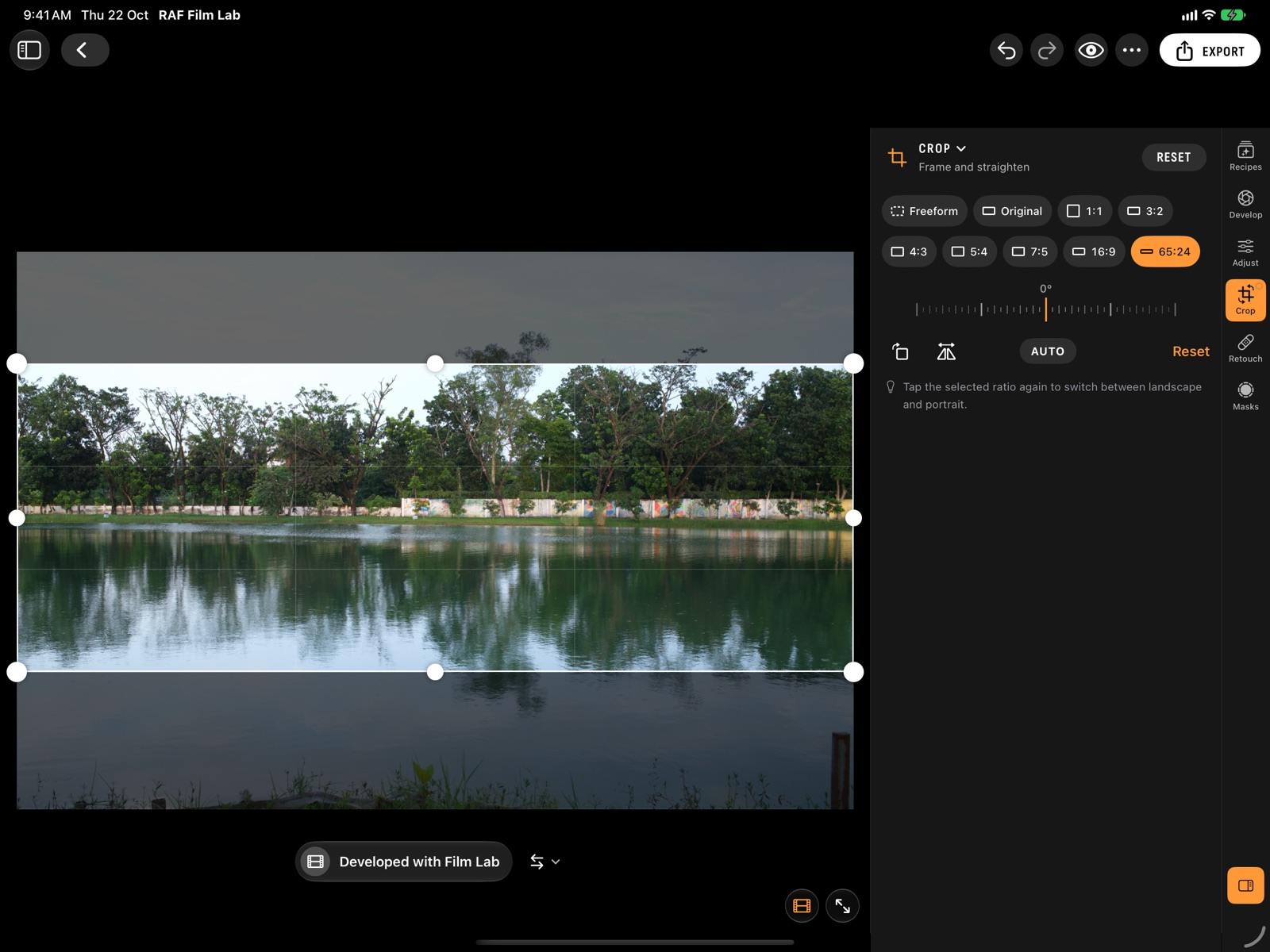
Crop and retouch
Crop to Freeform, the photo's original proportions, or 1:1, 3:2, 4:3, 5:4, 7:5, 16:9 or XPan's 65:24. Rotate, flip, drag the dial to straighten, or tap Auto to level the horizon.
The Retouch tab heals and clones: tap a spot and it's blended into what's around it, or copy one area over another. Each spot has its own size, feather and opacity.
Undo anything, export anywhere
Undo and Redo take back film settings as well as edits. Copy a photo's adjustments and paste them onto others. Export HEIC, JPEG or 16-bit TIFF at full size or smaller, one photo or many at once. On the Mac, every tab has keyboard shortcuts.
Questions
What is a RAF file, and does it need a special editor?
RAF is Fujifilm's RAW format. Most RAW editors open it, but few know its film simulations. RAF Film Lab is a RAF editor that develops the file in the simulation you shot, then lets you edit on top of it.
Are the AI masks processed in the cloud?
No. Subject, Sky, Background, People, Face and Object masks are found on your device.
Do edits change the RAW file?
No. Edits are drawn on top of the develop and the RAF is never changed.
Can I edit on iPhone?
Yes. The iPhone has the same six workspaces as the Mac and iPad, in a dock under the photo, with a ruler for each setting.
What formats can I export?
HEIC, JPEG or 16-bit TIFF, at full size or smaller.
More of RAF Film Lab

Try it on your own RAFs.
RAF Film Lab is in beta on TestFlight for Mac, iPad and iPhone. Leave your email and Apple will send you an invite.