
Let your Fujifilm develop its own RAW files
Your camera already knows its films. Connect it over USB and RAF Film Lab sends each RAF back to the camera's own processor, with your recipe, and shows the camera's develop: exactly the camera's look.
Updated
Two ways to develop.
Away from the camera, Film Lab develops the RAW on your device. Want the camera's exact look? Plug it in and its own processor develops the file, as X RAW STUDIO does, but on your iPhone and iPad as well as the Mac.
On your device
Mac, iPad or iPhone. No camera needed, every film on every RAF.

Over USB
The camera's own processor, with your recipe, from your iPhone, iPad or Mac. Exactly its look, in the films it has.
Switch any photo between the two from the develop status at its foot. Set the camera's CONNECTION MODE once, and the Camera page walks you through its menu. How in-camera develop works →
What is in-camera RAW conversion?
Fujifilm cameras can convert their own RAW files, the same way they make JPEGs when you shoot. RAF Film Lab uses that: it hands the camera the RAF and the settings, and the camera's processor renders it. The result is what the camera itself would have made, with every in-camera setting it supports.
That's the same conversion Fujifilm's X RAW STUDIO does on a computer, built into an editor on Mac, iPad and iPhone, with the rest of your editing on top.
How do I set up USB RAW conversion on a Fujifilm camera?
- On the camera, press MENU/OK and find CONNECTION MODE: under NETWORK/USB SETTING on newer bodies, or SET UP → CONNECTION SETTING on older ones.
- Choose USB RAW CONV./BACKUP RESTORE. Newer cameras also need USB POWER SUPPLY/COMM SETTING set to AUTO.
- Connect the camera with a USB data cable and turn it on.
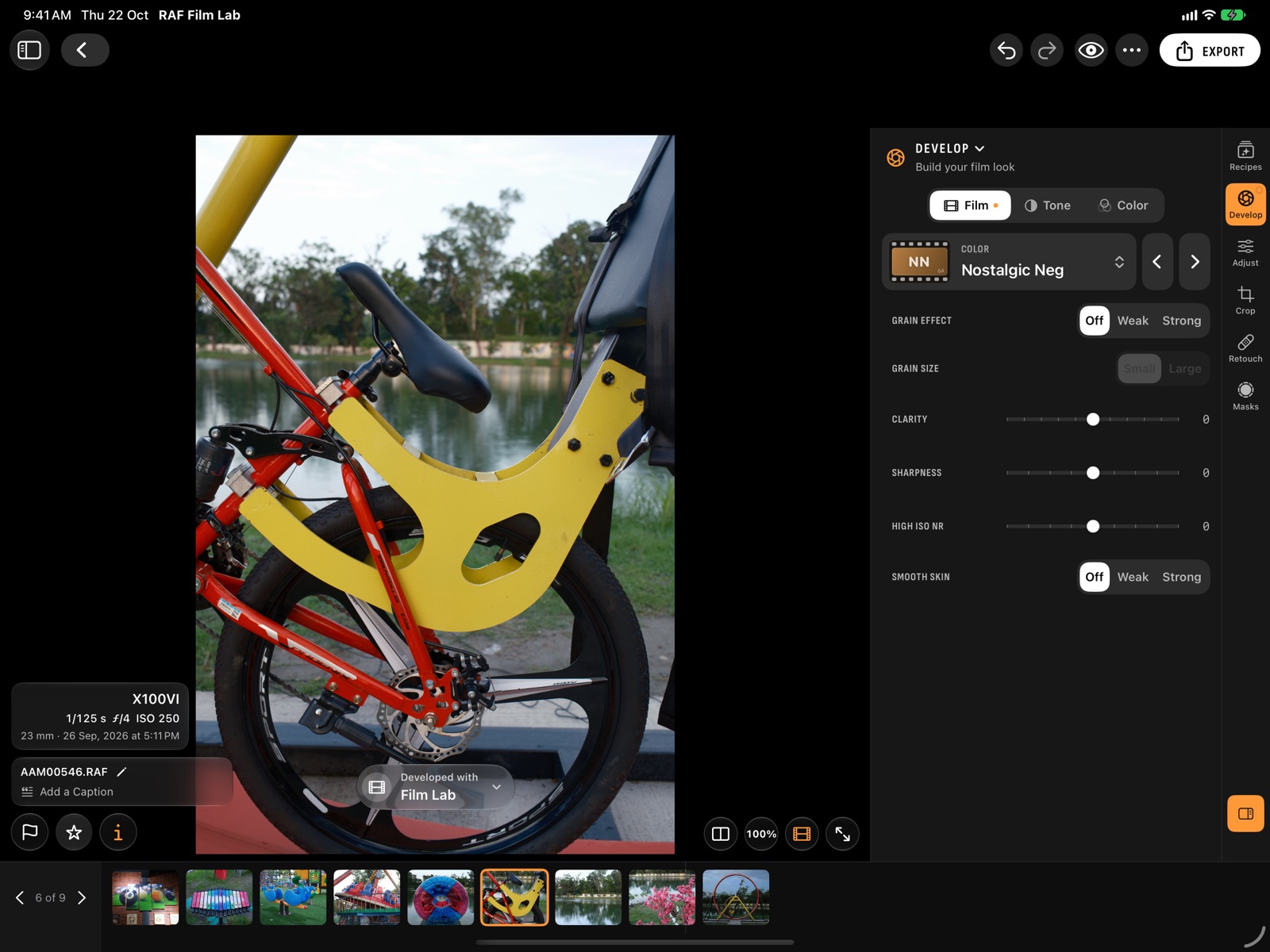
- Open a photo, choose the camera from the menu of the develop status at the photo's foot, and tap Develop with the camera.
Switch who develops, per photo
The develop status at the foot of every photo says who developed it, the camera or Film Lab, and its menu switches between them. Change a film setting and it offers to develop again with the camera.
Settings the camera keeps to itself work too: white balance Custom 1–3 slots live on the camera, so they're available when the camera develops.
What are the limits of developing in the camera?
- A camera can only develop RAFs it shot itself, so a library from two bodies needs each one for its own photos.
- A film the camera doesn't have, such as Reala Ace on an X-T3: the develop status says so and offers Film Lab instead.
- Camera develops sync through iCloud, so a develop made on the Mac shows on the iPhone. Until it arrives, the photo shows its Film Lab develop, marked as pending.
- Each camera's page says whether it can develop over USB, with its own menu steps.
Questions
Do I still need X RAW STUDIO?
Not for developing in the camera: RAF Film Lab talks to the camera over USB itself, on Mac, iPad and iPhone.
Can the camera develop photos from another Fujifilm body?
No. A camera only develops RAFs it shot itself. Photos from other bodies can use Film Lab's own develop.
What if I'm away from the camera?
Film Lab develops on your device, in all 20 film simulations, measured against the camera. You can switch any photo back to the camera later.
Which cameras support USB RAW conversion?
Many X and GFX bodies do. Each camera's page on this site says whether it can develop over USB.
More of RAF Film Lab

Try it on your own RAFs.
RAF Film Lab is in beta on TestFlight for Mac, iPad and iPhone. Leave your email and Apple will send you an invite.