
All 20 film simulations, without the camera
Away from your camera, RAF Film Lab develops RAFs itself, in every Fujifilm film simulation, with Dynamic Range, tone, Color Chrome, grain and white balance. Measured against the camera, it lands within about 2 ΔE.
Updated
Can I use Fujifilm film simulations without the camera?
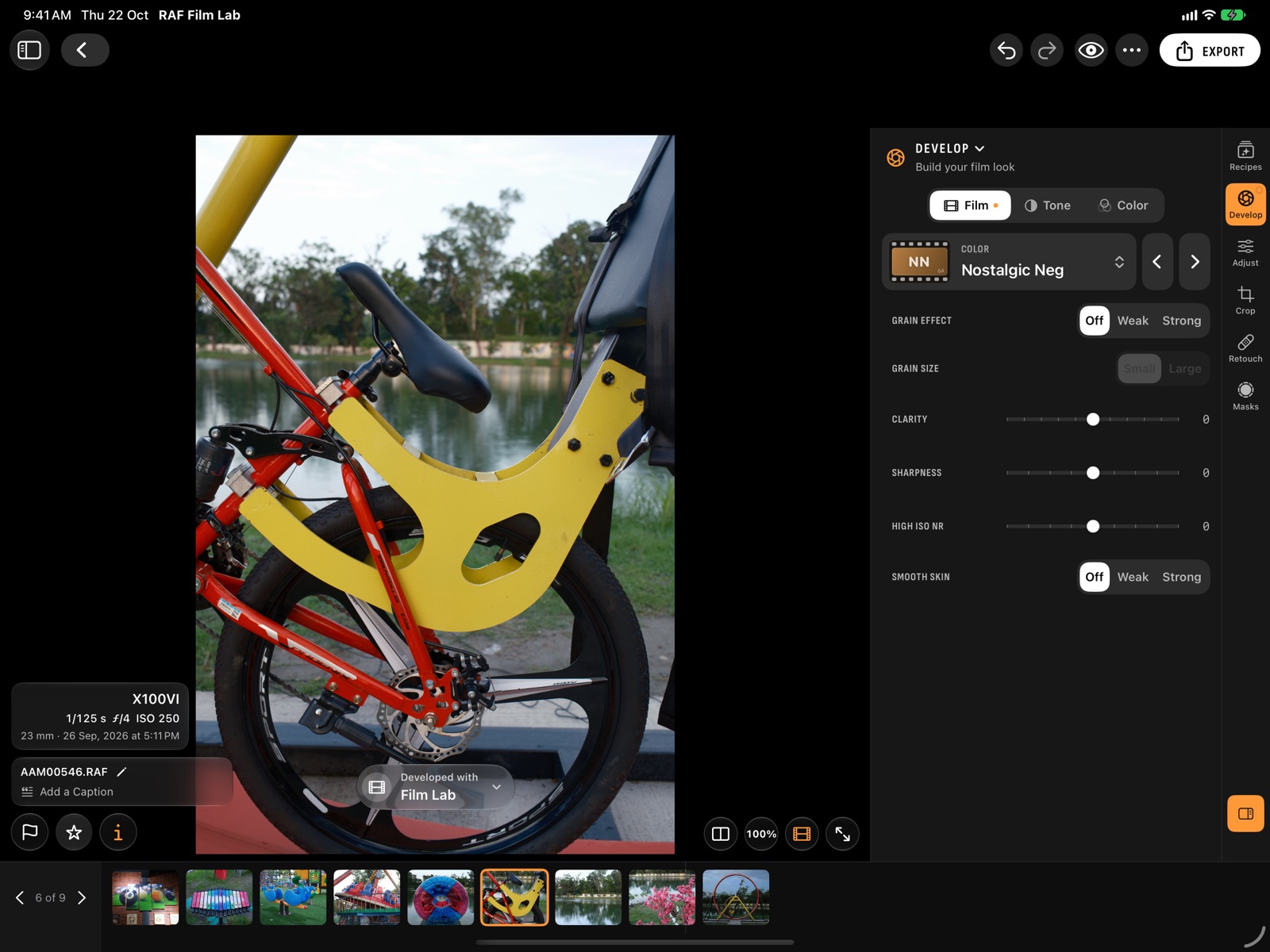
Yes. RAF Film Lab renders all 20 Fujifilm film simulations on any RAF file, on Mac, iPad or iPhone, with no camera connected.
Your camera records which film simulation was set. RAF Film Lab reads it from the file and opens each photo in that film, so a frame shot in Classic Chrome looks like Classic Chrome from the start.
All 20 are there: Provia, Velvia, Astia, Classic Chrome, Classic Neg, Nostalgic Neg, Reala Ace, Pro Neg. Hi, Pro Neg. Std, Eterna and Eterna Bleach Bypass; Acros and Monochrome, each plain and with yellow, red and green filters; and Sepia. See every film.
Which in-camera settings can I change after shooting?
All of the ones a recipe holds: the film, Grain Effect, Clarity, Dynamic Range, push and pull, Highlight and Shadow Tone, Color, Color Chrome and white balance.
Develop holds what the camera's menu holds, in three categories:
- Film: the film simulation, Grain Effect and size, Clarity, Sharpness, High ISO NR and Smooth Skin.
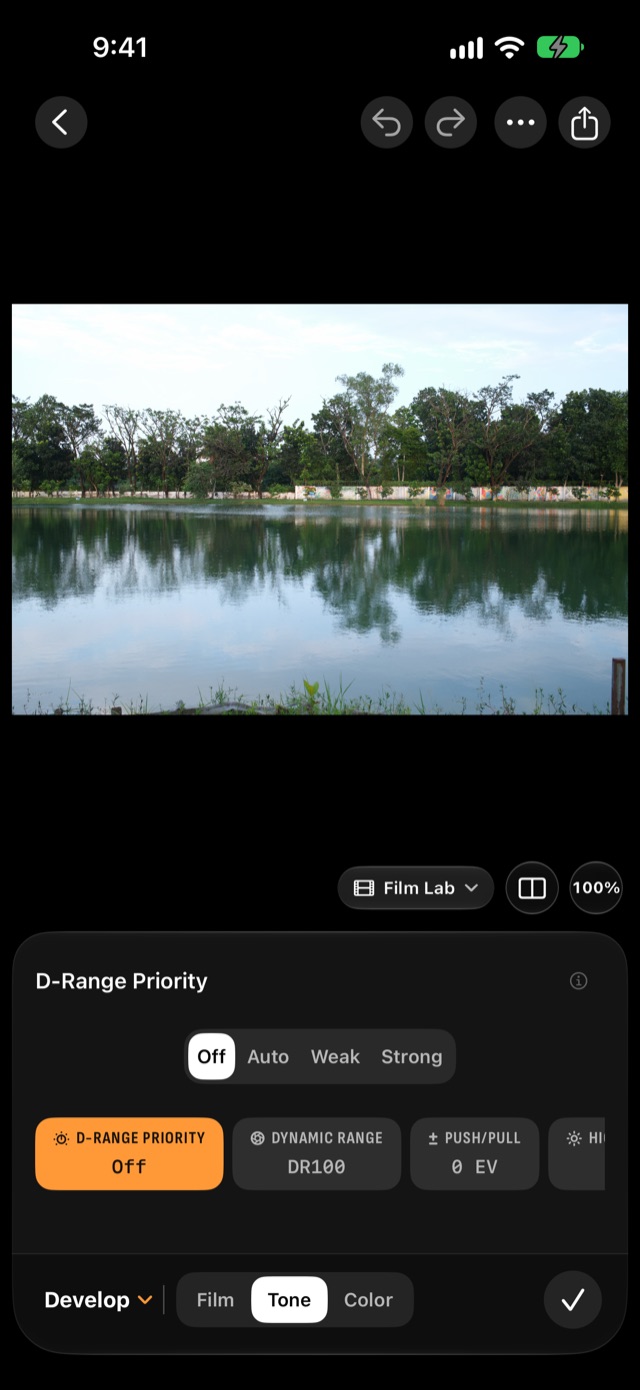
- Tone: D-Range Priority, Dynamic Range (DR100, DR200, DR400), push and pull up to three stops, Highlight Tone and Shadow Tone. The Dynamic Range the RAF was shot at is marked.
- Color: Color, Color Chrome Effect and Color Chrome FX Blue, and white balance: As Shot, Auto, presets or a Kelvin value, and the WB shift.
Saved recipes have a workspace of their own, Recipes, beside Develop.
How accurate are RAF Film Lab's film simulations?
Within about 2 ΔE of the camera's own render, as a median for most colour films: close to the smallest colour difference most people can see side by side.
We shot 31 frames on an X100VI and had Fujifilm's X RAW STUDIO render each RAF in every simulation. Because both sides come from the same RAW file, every pair is pixel-aligned and only the rendering differs. Then we scored the app's actual rendering against the camera's: a median of about 2 ΔE across the colour films, roughly the smallest difference most people notice side by side.
Every film's score is on the fidelity table, and the method is in the guide.
A develop, then your edits
A photo is developed once, with its film and in-camera settings, and every later edit is drawn on top. Change a film setting and Film Lab shows it at once, then develops the photo again on its own. Connect the camera any time and switch the photo to the camera's own develop.
Questions
How close is it to the camera's JPEG?
Measured on an X100VI against the camera's own renders, the median difference is about 2 ΔE for most colour films, close to the smallest difference most people can see.
Can I use a film my camera doesn't have?
Yes. Film Lab has all 20 on every RAF, so an older body's photos can be developed in Reala Ace or Nostalgic Neg.
Does it read the film I shot in?
Yes. Each photo opens in the film simulation recorded in the RAF, with the Dynamic Range it was shot at marked.
Does it work offline?
Yes. Developing happens on your device, with no server.
More of RAF Film Lab

Try it on your own RAFs.
RAF Film Lab is in beta on TestFlight for Mac, iPad and iPhone. Leave your email and Apple will send you an invite.