
Import Fujifilm RAW files straight off your camera
Plug your Fujifilm into a Mac, iPad or iPhone with a USB cable and copy its RAFs into RAF Film Lab. Each one opens in the film simulation you shot it in.
Updated
How do I import RAW files from my Fujifilm to an iPhone, iPad or Mac?
Connect the camera with a USB data cable, set its CONNECTION MODE to USB CARD READER, and import from RAF Film Lab's + menu. It works the same way on iPhone, iPad and Mac.
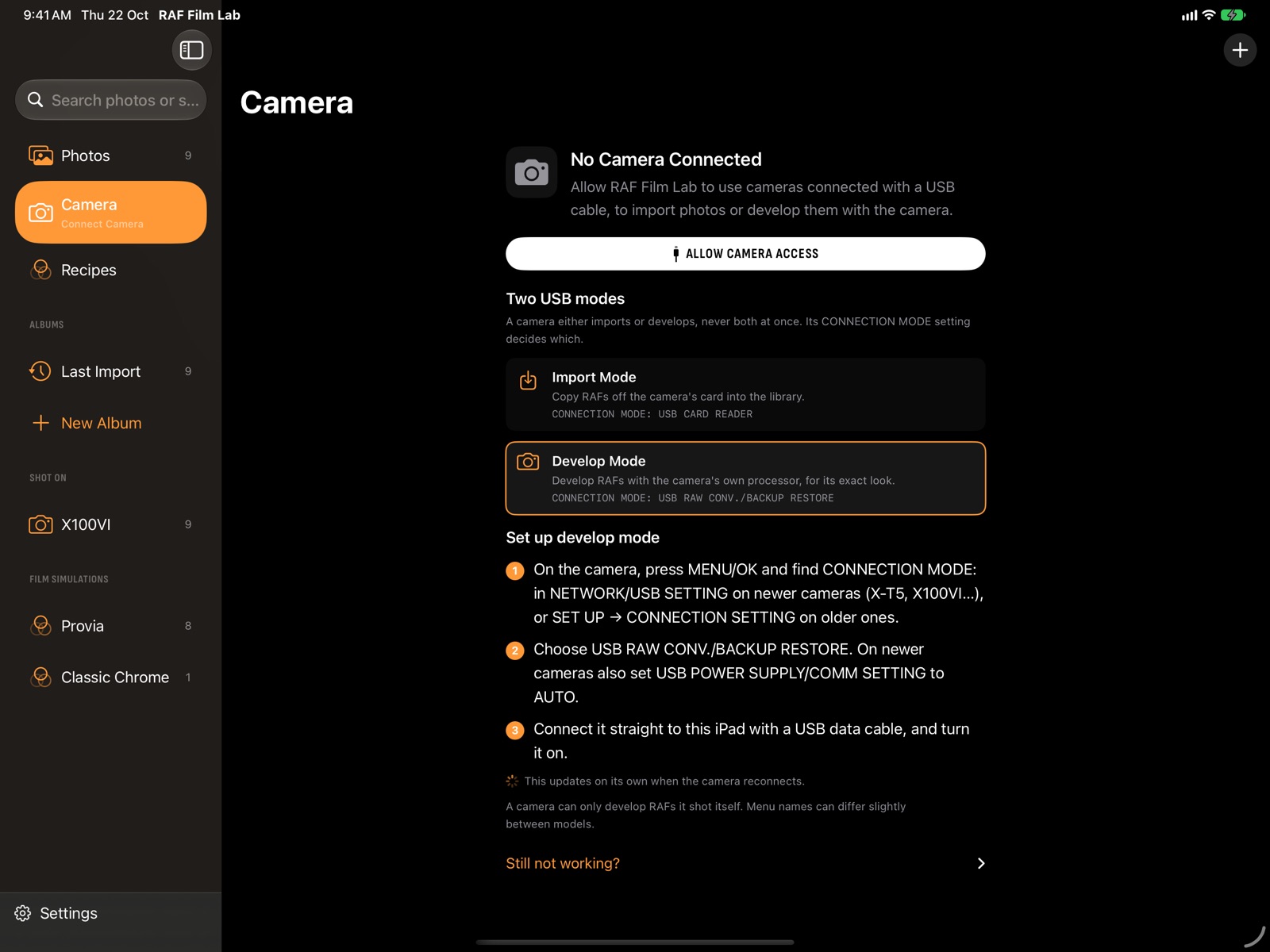
Every Fujifilm camera's USB connection either imports or develops. Set its CONNECTION MODE to USB CARD READER and RAF Film Lab reads the card in the camera like any card reader, without taking the card out.
The Camera page, in the sidebar on Mac and iPad or the Camera tab on iPhone, says which mode a connected camera is in and walks you through its menu. A connected camera also leads the Shot On list in the library, with a plug beside its name.
Set up the camera once
- On the camera, press MENU/OK and find CONNECTION MODE: under NETWORK/USB SETTING on newer bodies, or SET UP → CONNECTION SETTING on older ones.
- Choose USB CARD READER.
- Connect the camera to your Mac, iPad or iPhone with a USB data cable and turn it on.
- In RAF Film Lab, tap or click + (Import RAFs) and choose the camera.
Or bring RAFs in from anywhere
- Files: RAF files or whole folders. Folders are searched for RAFs in every subfolder.
- Photos: photos whose original is a Fujifilm RAW. Only RAF originals come in; JPEGs and HEIFs are skipped.
- A card reader over USB, the same way as the camera.
What happens to my RAF files when I import them?
On the Mac, originals stay where they are: RAF Film Lab keeps a bookmark to each file and makes its own previews. On iPad and iPhone, each RAF is copied into the app.
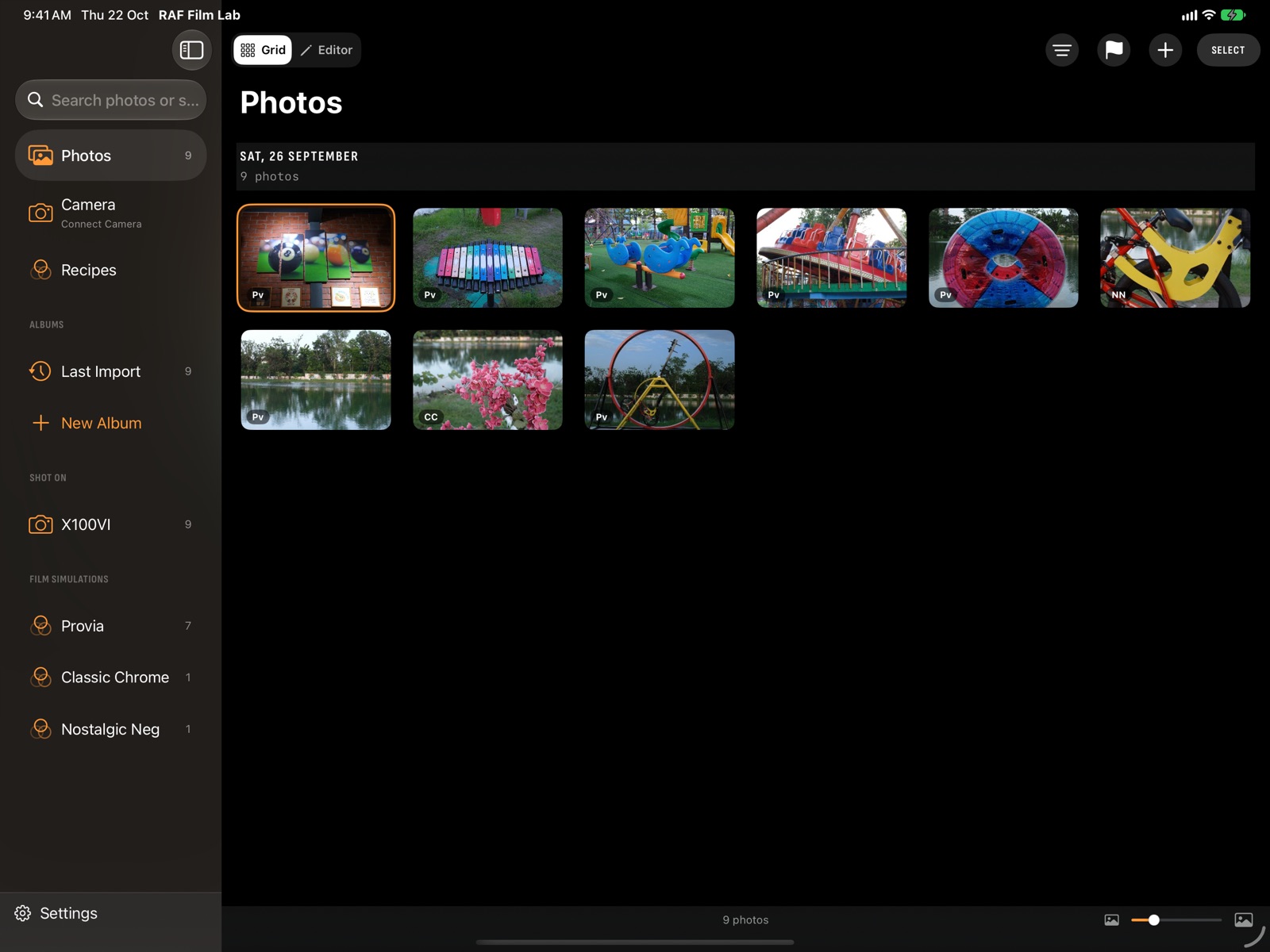
A RAF that's already in the library, even one synced from another device, isn't imported twice. Every new photo is developed in the background, in the film simulation the camera recorded, and the grid shows the ones still developing. New imports land in the Last Import album, ready to cull.
Which Fujifilm cameras are supported?
Any Fujifilm RAF that Apple's RAW engine can read: the X-T, X-S, X-E, X-H, X-Pro, X-M, X100 and GFX lines, from the X-Pro1 on. See every supported camera, with the films each one has.
Questions
Can I import from my Fujifilm to an iPhone without a computer?
Yes. Connect the camera to the iPhone with a USB data cable, set its CONNECTION MODE to USB CARD READER, and import from the + menu.
Does RAF Film Lab import JPEGs?
No. It's built around the RAW file, so only RAFs come in. A JPEG already has its film baked in.
Will importing the same card twice make duplicates?
No. A RAF that's already in the library, including one synced from another device, is skipped.
Why can't the camera import and develop at the same time?
A Fujifilm camera's USB connection does one or the other. USB CARD READER imports; USB RAW CONV./BACKUP RESTORE develops and reads recipes. The Camera page shows which one it's in.
More of RAF Film Lab

Try it on your own RAFs.
RAF Film Lab is in beta on TestFlight for Mac, iPad and iPhone. Leave your email and Apple will send you an invite.