
What is a RAF file?
RAF is the RAW format of Fujifilm cameras: the sensor's data before the camera turns it into a JPEG, with a record of how you shot, film simulation included. Any Fujifilm X or GFX camera can save one.
Updated
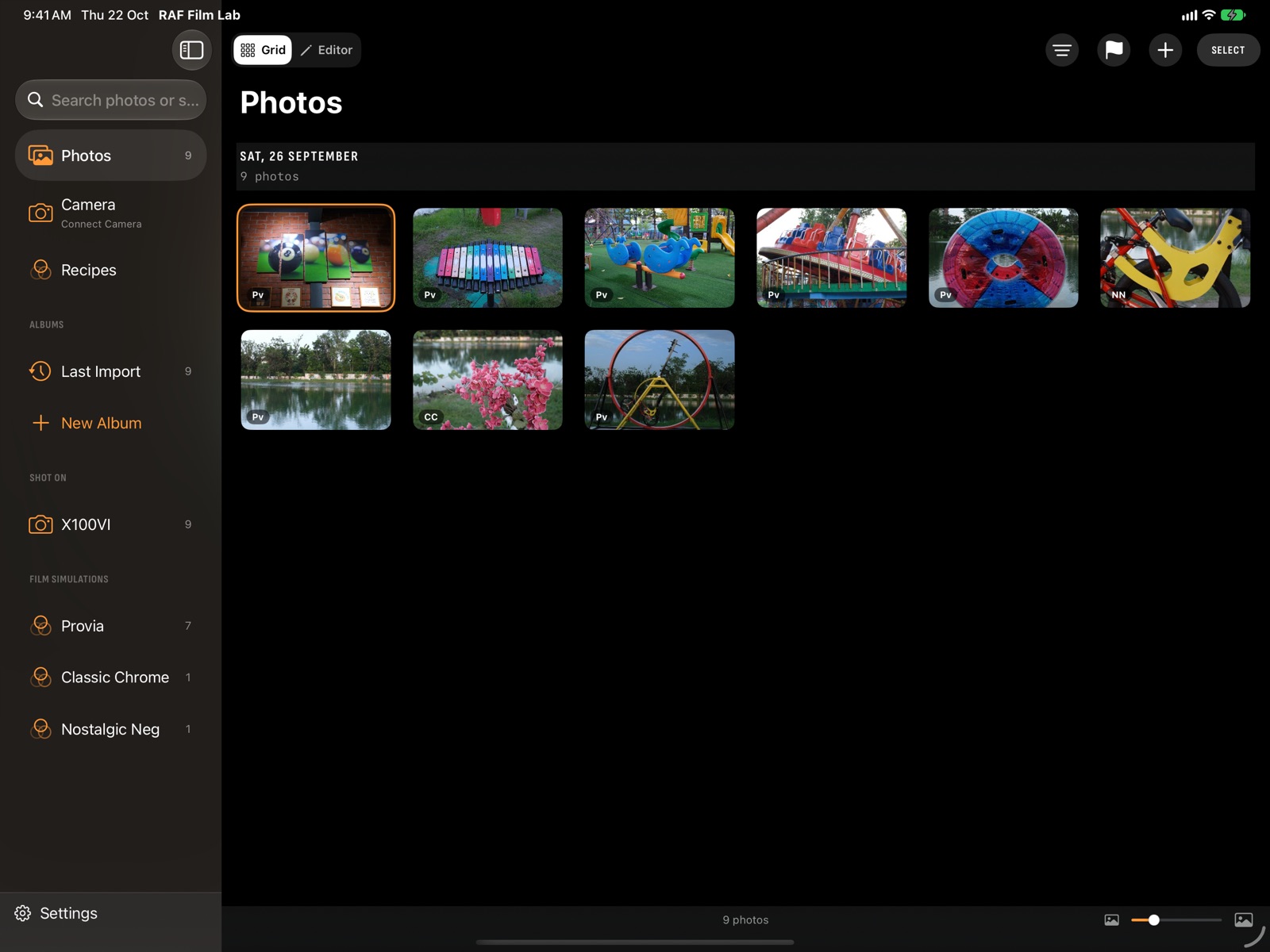
What's inside a RAF?
- The RAW data: what the sensor recorded, at 12, 14 or 16 bits depending on the camera, uncompressed or compressed.
- A preview JPEG, made by the camera, which is what most viewers show first.
- The shooting details: camera, lens, shutter speed, aperture, ISO and date.
- Fujifilm's own notes: the film simulation, Dynamic Range, tone, colour, grain and white balance you shot with.
A RAF from an X-series camera is usually 25 to 60 MB; from a GFX, more. Each camera's page gives its sensor and RAW format.
How do I open a RAF file?
Most photo apps can open one:
- Mac: Photos and Preview, through Apple's RAW engine, and editors such as Lightroom and Capture One.
- iPhone and iPad: the Photos app shows them, and RAW editors such as Lightroom and RAF Film Lab edit them.
- Fujifilm's X RAW STUDIO, on Mac and Windows, converts them with the camera plugged in. How it works.
Why doesn't my RAF look like the JPEG?
The film simulation isn't baked into the RAW data: the camera applies it when it makes the JPEG. Most RAW editors ignore Fujifilm's notes and show a neutral render instead, or approximate the films with their own profiles.
RAF Film Lab reads the film you shot in from the RAF and opens the photo in it, with your Dynamic Range, tone, colour, grain and white balance. It renders all 20 films within about 2 ΔE of the camera, or lets the camera itself develop the RAF over USB.
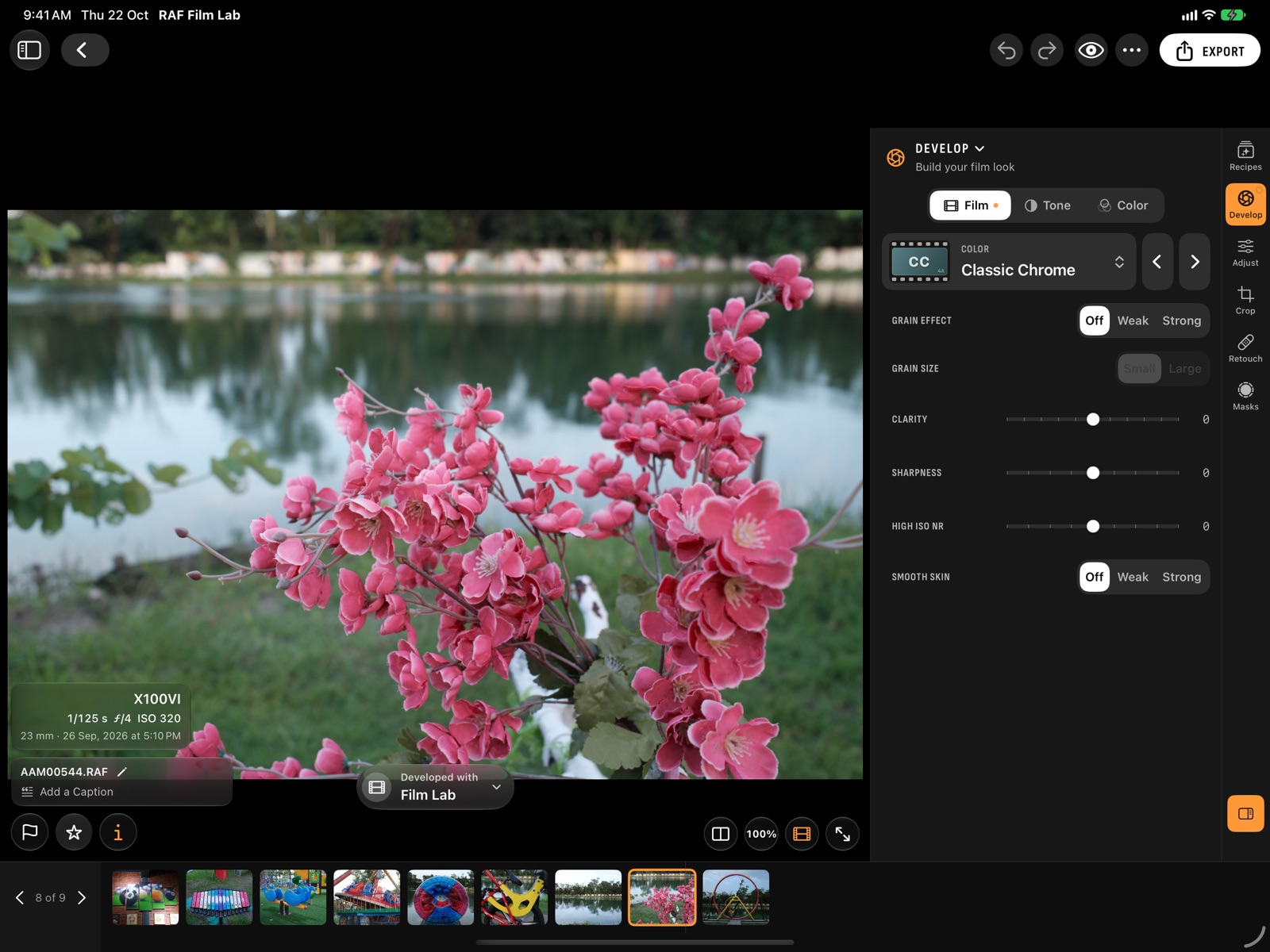
How do I edit a RAF on iPhone or iPad?
- Bring the RAFs in: from Files, from Photos, or straight off the camera or a card reader over USB.
- Open a photo. It opens in the film it was shot in.
- Change the film or any in-camera setting in Develop, then finish the photo in Adjust, Crop, Retouch and Masks.
- Export it as JPEG, HEIC or 16-bit TIFF.
The same works on the Mac. The tutorial goes through it step by step.
How do I convert RAF to JPEG?
Export it from a RAW editor, choosing JPEG. Fujifilm cameras can also convert a RAF themselves: open it in playback, choose RAW CONVERSION and set the recipe. Or connect the camera over USB and let it develop the RAF from an app.
Questions
What does RAF mean?
RAF is the file extension Fujifilm uses for its RAW files, on every X and GFX camera.
Can an iPhone open RAF files?
Yes. The Photos app shows them, and RAW editors such as RAF Film Lab edit them, film simulation included.
Does editing change the RAF?
Not in RAF Film Lab or other RAW editors: edits are kept alongside, and the RAF stays as the camera wrote it.
Is the film simulation saved in the RAF?
The setting is recorded in the RAF's notes, but not applied to the RAW data. An app that reads it, like RAF Film Lab, can open the photo in that film.
More of RAF Film Lab

Try it on your own RAFs.
RAF Film Lab is in beta on TestFlight for Mac, iPad and iPhone. Leave your email and Apple will send you an invite.