
X RAW STUDIO, explained
X RAW STUDIO is Fujifilm's free app for Mac and Windows that converts RAF files with the camera's own image processor. Plug the camera in over USB, and it develops each RAW exactly as the camera would make the JPEG.
Updated
What does X RAW STUDIO do?
It sends each RAF back to the camera that shot it, with the settings you choose, and saves the camera's render as a JPEG or TIFF. Because the camera's processor does the work, the film simulations look exactly as they do in the camera's JPEGs. You can change the film, Dynamic Range, tone, colour, grain and white balance, convert many files at once, and save your settings as profiles (.FP1, .FP2 or .FP3 files).
How do I set up X RAW STUDIO?
- Download X RAW STUDIO from Fujifilm's website and install it on your Mac or Windows PC.
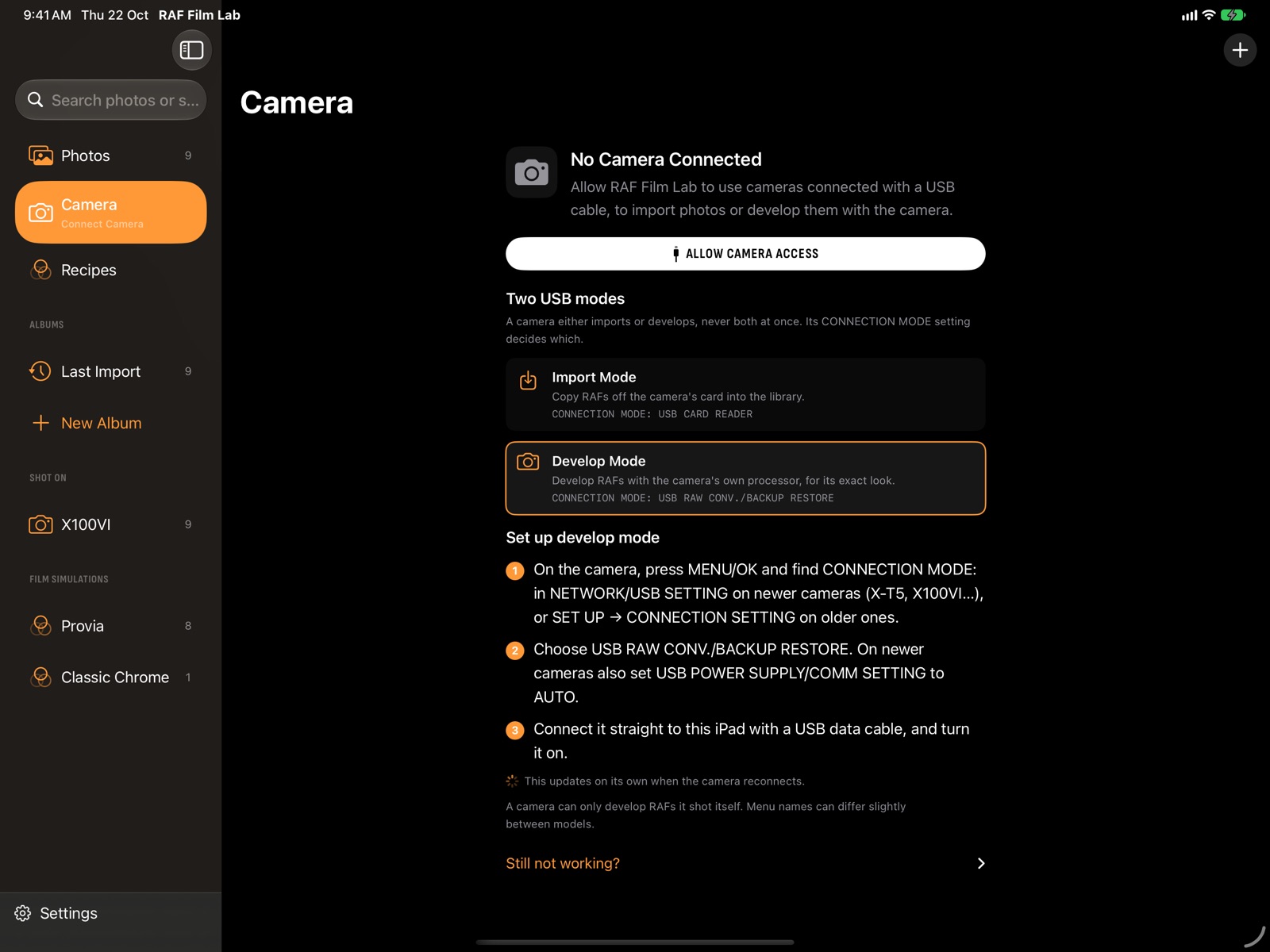
- On the camera, press MENU/OK and set CONNECTION MODE to USB RAW CONV./BACKUP RESTORE. Newer cameras also need USB POWER SUPPLY/COMM SETTING set to AUTO.
- Connect the camera with a USB data cable and turn it on.
- Open X RAW STUDIO, find a folder of RAFs from that camera, change the settings and convert.
If the camera isn't found, check the connection mode first, then the cable: a charging-only cable won't do. Only one app can use the camera at a time.
Which cameras work with X RAW STUDIO?
Cameras from the X-Pro2 and X-T2 on: X100VI, X100V, X100F, X-Pro3, X-Pro2, X-E5, X-E4, X-E3, X-T5, X-T4, X-T3, X-T2, X-T50, X-T30 III, X-T30 II, X-T30, X-T20, X-S20, X-S10, X-H2S, X-H2, X-H1, X-M5, GFX100RF, GFX100S II, GFX100 II, GFX100S, GFX100, GFX50S II, GFX 50R and GFX 50S. Older bodies, and the X-A and X-T100/X-T200 line, don't support USB RAW conversion. Every camera's page says whether it does.
What are its limits?
- It needs the camera, connected and switched on, for every conversion.
- Only the camera's own films: an X-T3 can't render Reala Ace or Nostalgic Neg.
- Mac and Windows only: there's no X RAW STUDIO for iPhone or iPad.
- Conversion only: no crop, masks or local edits.
Alternatives to X RAW STUDIO
RAF Film Lab does the same USB conversion with the camera on iPhone, iPad and Mac, and also develops RAFs without the camera in all 20 film simulations, measured within about 2 ΔE of the camera. It reads X RAW STUDIO profiles as recipes. Lightroom and Capture One approximate the films with their own profiles.
More: X RAW STUDIO on iPhone and iPad · RAF Film Lab and X RAW STUDIO, in depth
| X RAW STUDIO | RAF Film Lab | |
|---|---|---|
| Runs on | Mac, Windows | Mac, iPad, iPhone |
| Develops with the camera's processor | Yes, over USB | Yes, over USB |
| Develops without the camera | No | Yes, all 20 films |
| Films a camera doesn't have | No | Yes |
| Editing after the develop | No | Masks, curves, colour grading, crop, heal |
Questions
Is X RAW STUDIO free?
Yes. Fujifilm offers it free for Mac and Windows.
Is there X RAW STUDIO for iPad or iPhone?
No. RAF Film Lab does the same USB conversion with the camera on iPhone and iPad.
Why doesn't X RAW STUDIO find my camera?
Usually CONNECTION MODE isn't set to USB RAW CONV./BACKUP RESTORE, or the cable only charges. Newer cameras also need USB POWER SUPPLY/COMM SETTING set to AUTO.
Can a camera convert RAFs from another model?
No. A camera only develops RAFs from its own model.
More of RAF Film Lab

Try it on your own RAFs.
RAF Film Lab is in beta on TestFlight for Mac, iPad and iPhone. Leave your email and Apple will send you an invite.