
Fujifilm recipes, explained
A Fujifilm recipe is a set of in-camera settings, a film simulation plus tone, colour, grain and white balance, that gives your JPEGs a particular look. Set it once in the camera and shoot with it, or apply it later to your RAW files.
Updated
What is a Fujifilm recipe?
Fujifilm cameras make JPEGs in a film simulation, and let you shape it with the settings in the camera's menu. A recipe writes those settings down, so anyone with a Fujifilm can get the same look. A recipe usually lists:
- Film simulation: Classic Chrome, Nostalgic Neg, Acros and the rest. See every film.
- Dynamic Range: DR100, DR200 or DR400.
- Highlight and Shadow Tone: how bright the highlights and how deep the shadows.
- Color, Color Chrome Effect and Color Chrome FX Blue: saturation, and depth in strong colours and blues.
- Grain Effect: off, weak or strong, small or large.
- Clarity, Sharpness and High ISO NR.
- White balance and its shift, a few steps towards red or blue.
Many also suggest an exposure compensation or ISO. The settings work the same way on every camera that has the film.
An example recipe
| Setting | Golden Hour |
|---|---|
| Film simulation | Nostalgic Neg |
| Dynamic Range | DR400 |
| Highlight / Shadow Tone | −1 / +1 |
| Color | +2 |
| Color Chrome Effect | Weak |
| Grain Effect | Weak, Small |
| White balance | Auto, R+2 B−4 |
How do I add a recipe to my Fujifilm camera?
Most X and GFX cameras keep seven recipes as custom settings, C1 to C7. To save one by hand:
- Press MENU/OK and open IMAGE QUALITY SETTING.
- Choose EDIT/SAVE CUSTOM SETTING, then a slot from C1 to C7.
- Set each item to the recipe's value, and save. You can rename the slot after the recipe.
- To shoot with it, pick the slot in the Q menu, or with SELECT CUSTOM SETTING.
Menu names differ a little between models. RAF Film Lab can also write a recipe into a slot over USB, with the camera in USB RAW CONV./BACKUP RESTORE mode: it backs the old slot up first and checks the recipe after it's written.
Can I apply a recipe to RAW files I've already shot?
Yes. A recipe set in the camera only shapes the JPEG; the RAF keeps the sensor's data and a note of the settings. Develop the RAF again with a different recipe and you get the photo as if you'd shot it that way.
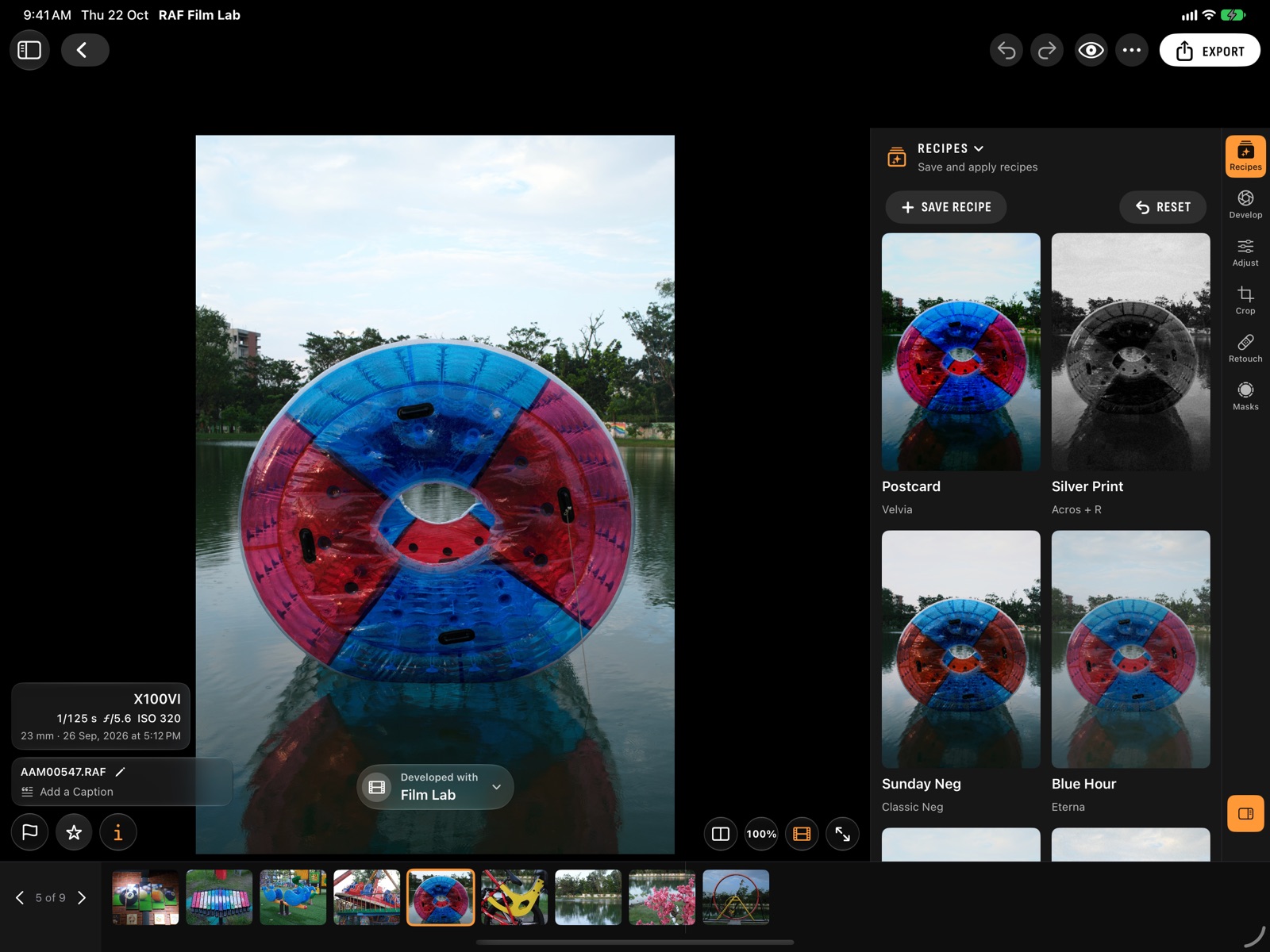
In RAF Film Lab, open the Recipes workspace on a photo: each saved recipe is shown on that photo, and a tap applies it. To do a whole shoot, choose Apply to Photos… on the recipe. RAF Film Lab develops the result itself, in all 20 films, or has your camera develop it over USB for exactly its own look.
My camera doesn't have the recipe's film
Fujifilm adds films with new cameras, so a recipe made for Reala Ace or Nostalgic Neg can't be set on an older body. Each camera's page lists the films it has. RAF Film Lab renders every film on every camera's RAFs, so you can still use the recipe on photos from that camera.
Where do people find recipes?
Recipes are shared on blogs, forums and social media, usually as a list of settings or a screenshot of one. Fuji X Weekly is the best-known collection. In RAF Film Lab you can add a recipe from a screenshot or text, a QR code, a link, a .recipe file or an X RAW STUDIO profile, and share your own as a card with a QR code. To compare the apps that keep recipes, see the best Fujifilm recipe apps.
Questions
Do Fujifilm recipes work on RAW files?
In the camera, a recipe shapes only the JPEG. To use one on a RAF, develop it with the recipe in an app like RAF Film Lab, or have the camera do it over USB.
How many recipes can a Fujifilm camera hold?
Seven, in the custom settings C1 to C7, on most X and GFX cameras.
Is there an app for Fujifilm recipes?
Yes, several. RAF Film Lab keeps them, applies them to RAF files without the camera, writes them to C1–C7 and reads them from screenshots and QR codes.
What is the most popular Fujifilm film simulation for recipes?
Classic Chrome, Classic Neg and Nostalgic Neg are the usual bases, with Acros for black and white.
More of RAF Film Lab

Try it on your own RAFs.
RAF Film Lab is in beta on TestFlight for Mac, iPad and iPhone. Leave your email and Apple will send you an invite.